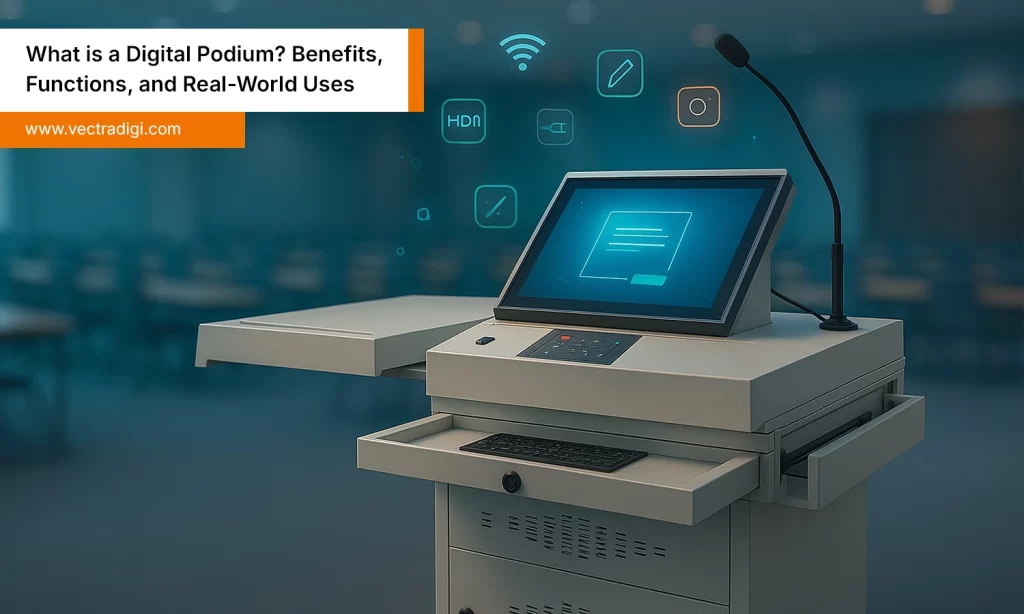
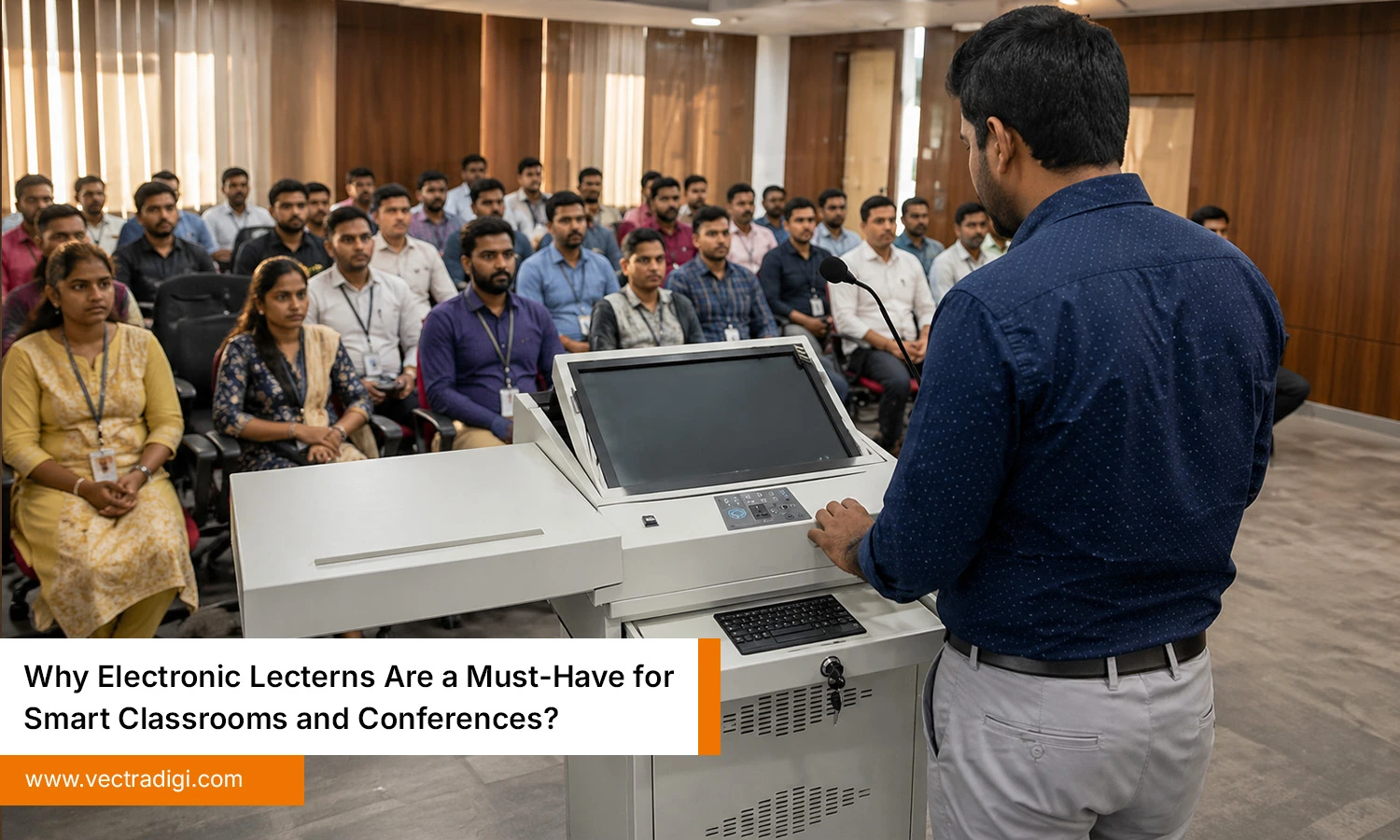
Technology has changed how people teach, learn, and communicate. Modern classrooms and conference rooms need tools that make presentations faster, smoother, and more engaging. However, many schools and businesses still use outdated podiums that no longer match today’s needs. An electronic lectern combines technology, convenience, and professionalism in one smart solution. It helps teachers save time, supports confident presentations, and keeps spaces organized. From universities to boardrooms, more organizations are choosing smarter setups for better results. In this blog, we’ll explore the benefits, key features, uses, and reasons why this upgrade is worth considering.
Table of Content
Also Read: How a Classroom Podium Enhances Teaching and Student Engagement?
Why Smart Classrooms Need an Electronic Lectern
Modern students learn differently. They respond better to visual content, interactive lessons, videos, and digital tools. Teachers need systems that support this shift without creating technical stress. That is where an electronic lectern becomes valuable.
- Better Lesson Control: Teachers can switch between slides, videos, documents, and smart boards from one place. This keeps lessons moving smoothly.
- Higher Student Engagement: When lessons are dynamic, students pay more attention. Multimedia teaching methods become easier to use with a smart setup.
- Cleaner Classroom Setup: Messy cables and scattered devices make classrooms look outdated. Integrated systems keep equipment organized and neat.
- Saves Time Every Day: Even small setup delays waste learning time. A smart lectern helps classes begin faster and run more efficiently.
Why Conferences and Meeting Rooms Need an Electronic Lectern
Professional spaces depend on clear communication. Whether it is a client pitch, internal training, or keynote event, poor setup can create a bad impression instantly. An electronic lectern helps solve common meeting room problems.
- Professional Appearance: A sleek, modern podium makes the room feel prepared and organized. It reflects well on your brand.
- Easy Connectivity: Different presenters use different devices. Built-in ports make transitions faster and less awkward.
- Supports Hybrid Meetings: Many meetings now include remote participants. A modern lectern can support microphones, displays, and conferencing systems.
- Speaker Confidence: When equipment works properly, speakers stay calm and focused. That often leads to better presentations.
Top Features to Look for in an Electronic Lectern
Choosing the right lectern is important because features directly affect performance, comfort, and long-term value. A well-designed model improves presentations, organization, usability, and overall efficiency daily.
1. Touchscreen Controls
Touchscreen controls make an electronic lectern much easier to use. Instead of dealing with too many buttons, separate remotes, or confusing panels, everything can be managed from one screen. Users can adjust volume, switch displays, control microphones, or connect devices in seconds. That saves valuable time before a class or presentation begins. Teachers can move between lesson materials smoothly, and speakers can make changes without stopping the flow. A responsive touchscreen also feels modern and convenient. In busy classrooms or conference halls, simple controls reduce stress and avoid unnecessary delays during important sessions.
2. Multiple Input Ports
Multiple input ports can save a lot of hassle during presentations. Different people usually bring different devices, so one fixed option is rarely enough. Some may arrive with a laptop, others with a tablet, USB drive, or media device. A well-designed electronic lectern should offer HDMI, USB, charging points, and audio ports to keep things simple. This avoids the usual last-minute search for adapters or cables. In classrooms, teachers can connect quickly and begin without delay. In conferences, speakers can change smoothly. Extra ports may seem small, but they make daily use far easier and more reliable.
3. Built-In Audio Support
Clear audio can make or break a presentation. Built-in audio support allows microphones, speakers, and sound controls to work directly through the lectern system. This creates a cleaner setup and reduces the need for extra equipment scattered around the room. In classrooms, students hear lessons more clearly, especially in larger spaces. During conferences, every speaker sounds more professional and confident. Good audio support also saves setup time and minimizes technical issues. Whether someone is teaching, presenting, or leading a meeting, strong sound quality helps messages reach the audience without distractions or repeated interruptions.
4. Secure Storage
Secure storage does not sound exciting, but it solves a real problem. Small items like remotes, microphones, chargers, and adapters are easy to lose when they have no proper place. With built-in storage, everything stays together and is easier to find later. Laptops and other devices can also be kept safely inside instead of being left out in the open. In schools, this saves teachers from searching before class starts. In offices, it keeps meeting rooms less cluttered. Simple storage can save time, reduce stress, and keep the space looking neat every day.
5. Cable Management
Cable management is one of those things people notice only when it is bad. Loose wires on the floor look messy, get tangled, and can cause problems at the worst time. A good lectern keeps cables tucked away and properly arranged, so the area stays clean and easier to use. Power cords, HDMI leads, and audio wires stay where they should. That means fewer accidental unplugging moments and less chance of someone tripping over them. In classrooms or meeting rooms, a neat setup simply works better and feels more professional from the moment you walk in.
6. Adjustable Height
Adjustable height makes an electronic lectern comfortable for different users. Not every teacher, presenter, or speaker is the same height, so flexibility matters. A lectern that can be raised or lowered improves posture and makes presentations more natural. It also supports accessibility for wheelchair users or those with specific mobility needs. Comfortable presenters usually speak with more confidence and less physical strain during long sessions. In shared spaces where many people use the same equipment, this feature becomes especially useful. It is a practical detail that improves daily usability far more than many expect.
7. Durable Materials
Durable materials make a real difference once the lectern starts seeing daily use. It may be moved from room to room, leaned on during presentations, or used by different people throughout the day. If the build is weak, marks, wobbling parts, or damage can appear sooner than expected. That becomes frustrating fast. A sturdy frame and solid finish usually hold up much better over time. It also keeps the lectern looking presentable instead of worn out after a few months. Choosing something well made often means fewer headaches later and better value overall.
Conclusion
An electronic lectern is one of those upgrades people usually appreciate after they start using it. It keeps wires out of the way, makes presentations easier to handle, and helps rooms feel less cluttered. In classrooms, it can save a few valuable minutes every day. In meeting spaces, it helps things run with fewer interruptions. It also gives speakers a cleaner and more comfortable setup to work from. As more work and learning depend on technology, older podiums can feel outdated quickly. A good lectern simply makes the space easier to use.
Looking to improve your setup? See practical electronic lectern options from Vectradigi for classrooms, offices, and presentation spaces that need to work better.
Frequently Asked Questions
1. How can teachers manage multiple presentation devices without interruptions?
An electronic lectern brings essential presentation controls into one integrated setup, helping teachers manage digital content and connected equipment without repeatedly switching between separate devices.
2. How can electronic lecterns reduce delays during conference presentations?
Electronic lecterns simplify access to presentation technology from one location, reducing unnecessary setup changes and helping speakers maintain a smoother, more professional presentation flow during conferences.
3. Why do smart classrooms need electronic lecterns for daily teaching?
Electronic lecterns help teachers organize digital presentations and classroom technology efficiently, reducing equipment-related distractions while allowing them to focus more consistently on teaching and student engagement.