
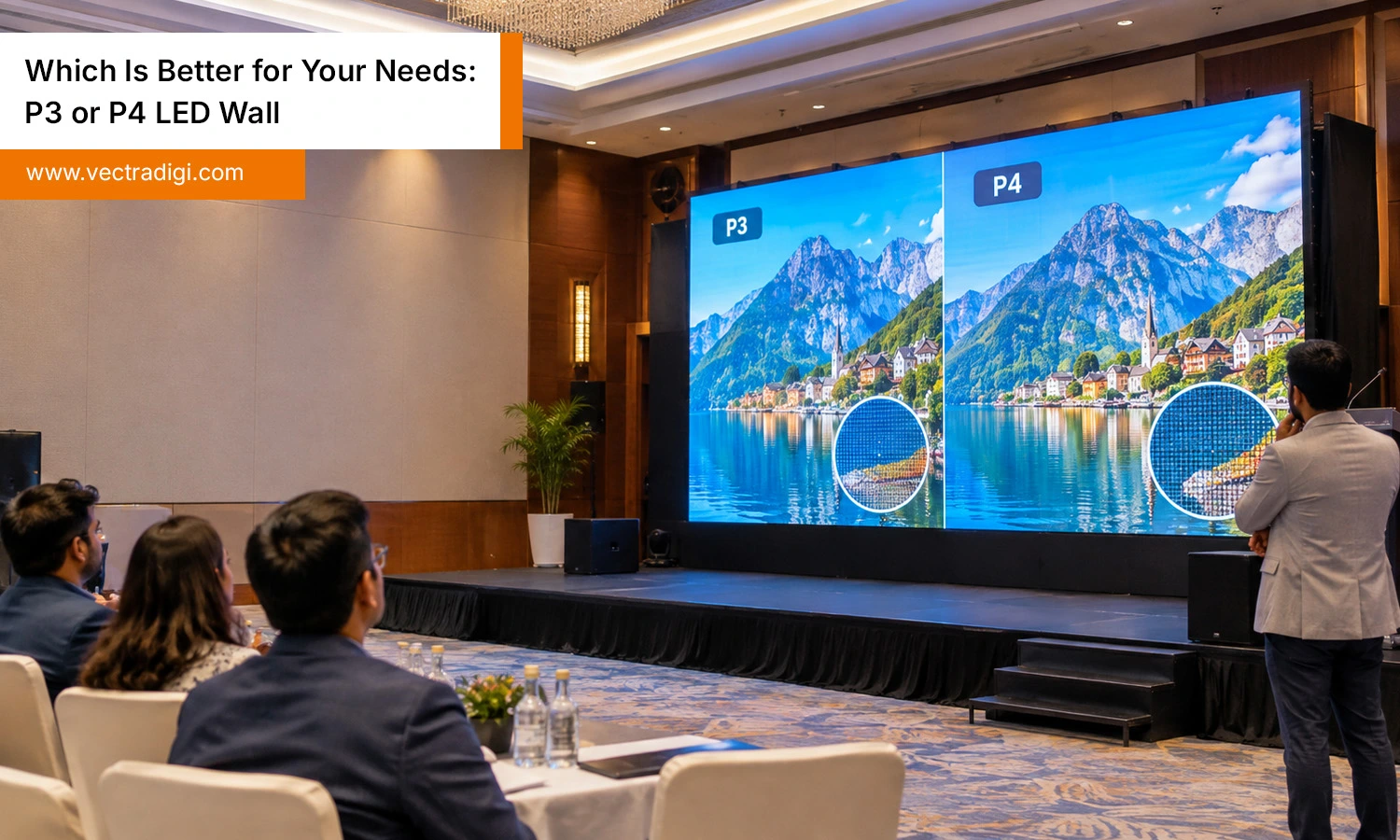
Walk into any modern conference hall, retail store, or control room, and there’s a good chance an LED wall is running the show. But when you start shopping, one question keeps popping up: P3 or P4? The numbers look tiny, yet the choice affects your budget, image quality, and how your audience feels when they look at the screen. This guide breaks down the real differences in simple language so you can decide with confidence. We’ll also cover why working with the best P3 and P4 led wall manufacturer matters just as much as the pixel pitch itself.
Table of Contents
- What Do P3 and P4 Actually Mean
- Picture Quality: Where P3 Pulls Ahead
- Viewing Distance: The Rule That Saves Money
- Cost: What Are You Really Paying For
- Indoor and Outdoor Use
- Power, Heat, and Maintenance
- Quick Comparison
- Which One Should You Choose
- Don’t Overlook the Supplier
- Final Thoughts
- Frequently Asked Questions
Also Read: LED Wall Setup Checklist: Don’t Forget These Important Details
What Do P3 and P4 Actually Mean
The “P” refers to pixel pitch — essentially the spacing between one LED and the next, measured center to center in millimeters. On a P3 wall, that gap is 3 mm. On a P4 wall, it’s 4 mm. A smaller gap means more pixels packed into the same space. A P3 panel holds roughly 111,000 pixels per square meter, while P4 holds about 62,500. More pixels mean finer detail, smoother curves, and cleaner text. That’s the whole story in a nutshell, but the practical impact depends on where and how you’ll use the screen.
Picture Quality: Where P3 Pulls Ahead
If people will stand or sit close to your screen, P3 is the safer bet. Small text, product images, logos, and faces all look sharper because there’s less visible gap between pixels.
Think of a showroom where customers walk right up to the display. On P4, they may notice a faint grid pattern. On P3, the picture looks continuous. For video walls that show detailed dashboards, presentations packed with fine print, or close-up brand visuals, that extra sharpness is worth noticing.
That said, P4 is far from poor quality. Viewed from the right distance, a well-made P4 display looks vivid and clean. The difference is mainly about proximity.
Viewing Distance: The Rule That Saves Money
Here’s a simple rule many installers follow: the minimum comfortable viewing distance in meters is roughly equal to the pixel pitch in millimeters. So P3 works well from about 3 meters onward, and P4 from about 4 meters.
In practice, the best viewing range is a bit further out. P3 looks great between 3 and 10 meters, while P4 shines between 4 and 15 meters. If your audience will mostly sit in the back half of a large auditorium, paying extra for P3 just doesn’t make sense. You’d be buying detail that nobody’s eyes can pick up.
Before you decide, measure the closest and average distance between your viewers and the screen. That one number often settles the debate.
Cost: What Are You Really Paying For
P3 walls generally cost more than P4, often by 20 to 30 percent per square meter. The reason is simple: more LEDs per panel, more driver ICs, and tighter manufacturing tolerances.
But the price gap isn’t only about the panels. Higher pixel density also asks more of the control system and the content. If you’re working with the best P3 and P4 led wall manufacturer, you’ll get transparent quotes that separate cabinet cost, controller cost, and installation, so you can compare fairly. Beware of suspiciously cheap P3 offers, because low-grade LEDs can fade or shift color within a couple of years.
Indoor and Outdoor Use
Most P3 walls are built for indoor spaces such as corporate lobbies, studios, retail stores, and control rooms. Outdoor P3 does exist, but it’s less common and pricier because weatherproofing at that density is harder. P4 is more flexible. You’ll find it in both indoor and outdoor versions, which is why it’s popular for building facades, event stages, and outdoor advertising where viewers are farther away and brightness matters more than fine detail.
Power, Heat, and Maintenance
Fewer LEDs mean P4 usually draws a little less power and runs slightly cooler than P3. Over years of daily operation, that can trim your electricity bill and reduce wear on components. Maintenance is also worth thinking about. Front-service modules, easy access to power supplies, and readily available spare parts make life much easier, whichever pitch you pick. Ask about this early, not after the wall is bolted up.
Quick Comparison
| Key Factors | P3 | P4 |
|---|---|---|
| Pixel gap | 3 mm | 4 mm |
| Pixels per sq. meter | ~111,000 | ~62,500 |
| Best viewing distance | 3 to 10 m | 4 to 15 m |
| Typical setting | Indoor | Indoor and outdoor |
| Budget | Higher | More affordable |
Which One Should You Choose
Choose P3 if:
- Your audience sits or stands within 3 to 6 meters.
- You display detailed content like small text, charts, or product close-ups.
- The screen is a brand statement in a boardroom, lobby, or studio.
- Your budget allows for premium quality.
Choose P4 if:
- Viewers are mostly 5 meters or more away.
- You need a large screen area without stretching your budget.
- The wall is going outdoors or in a big venue.
- You care about lower running costs.
A church hall with seating 8 meters from the stage will be perfectly happy with P4. A luxury car showroom with customers inches from the display should lean toward P3. Same technology, different answers.
Don’t Overlook the Supplier
Pixel pitch is only part of the equation. Two P3 walls can look completely different depending on LED quality, refresh rate, calibration, and build quality. That’s why the best P3 and P4 led wall manufacturer is the one that helps you choose rather than pushing whichever product sits in their warehouse.
When speaking with suppliers, ask for a sample or a live demo, check the warranty terms, and confirm how quickly they can supply replacement modules. A dependable partner will also guide you on content resolution, mounting structure, and cooling. If a supplier stumbles or dodges these basic questions, that’s your cue to look elsewhere.
The best P3 and P4 led wall manufacturer will also be honest when P4 is enough and you don’t need to spend more. That kind of straight talk is a good sign of a long-term partner.
Final Thoughts
There’s no universal winner between P3 and P4. P3 gives you sharper visuals for close viewing, while P4 delivers strong value for larger spaces and longer distances. Start with your viewing distance, then look at your budget, location, and the type of content you’ll show. Once that’s clear, the decision usually makes itself. Just as important, choose your supplier carefully. Even the perfect pixel pitch will disappoint if the build is poor, so partner with the best P3 and P4 led wall manufacturer you can trust for quality, honest advice, and reliable after-sales support.
Frequently Asked Questions
Q1. Can I use a P4 LED wall for a small meeting room?
Ans: Yes, if viewers sit four meters or farther away. In tight rooms where people sit close, though, P3 usually looks noticeably smoother, so measure your seating distance before you decide.
Q2. Is the picture difference between P3 and P4 really noticeable to visitors?
Ans: Up close, yes. Text and faces look sharper on P3. From beyond five or six meters, most people can’t really tell the difference, so P4 often makes more financial sense.
Q3. How much more expensive is a P3 wall compared with P4?
Ans. P3 typically costs around 20 to 30 percent more per square meter, depending on brand and quality. Ask for full quotations including controllers, cabinets, and installation so comparisons stay fair.
Q4. What should I ask a supplier before ordering my LED wall?
Ans. Shortlist the best P3 and P4 led wall manufacturer you can find, then ask about warranty length, spare module availability, refresh rate, brightness testing, and after-sales support in your city.

