
A few weeks ago, I watched a teacher walk into a seminar room, ready to start her session. She had a laptop in one hand, a bunch of cables in the other, and spent the first ten minutes just figuring out where to plug what. The mic wasn’t working, the projector flickered, and you could feel the tension in the room. Now imagine if she had walked up to a slim podium, just placed her laptop, tapped a screen, and started teaching. No mess. No stress. That’s what a slim podium is built for. In this blog, we’ll explore what it is, how it works, and why it’s becoming a must-have in modern classrooms and meeting spaces.
Table of Contents
What is a Slim Podium?
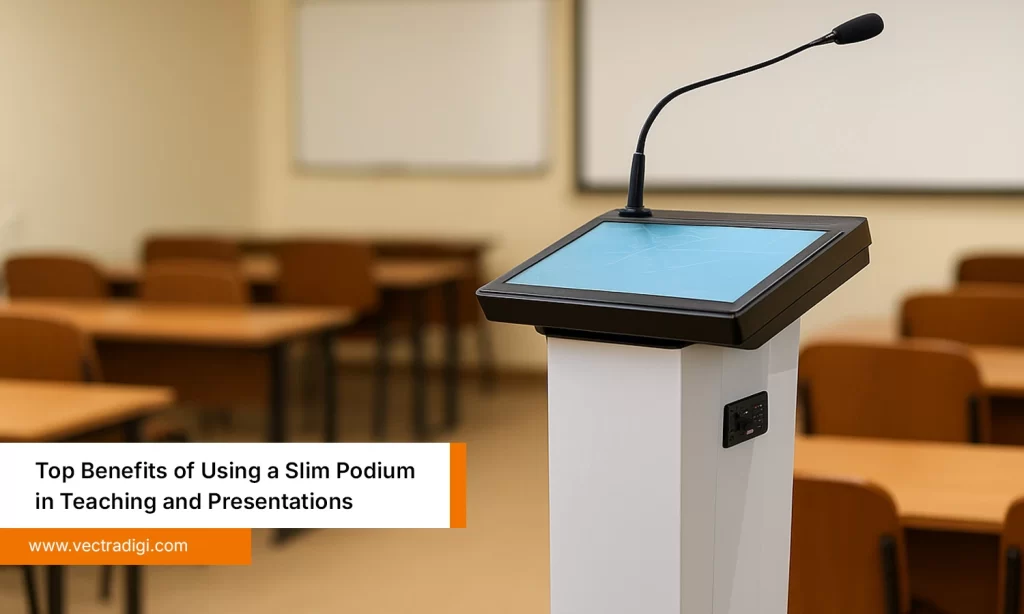
A slim podium is nothing but a modern and sleek all-in-one presentation tool that combines design and tech, and functions in a compact frame. It usually includes a built-in screen that is often interactive, a microphone, audio controls, and ports for USB, HDMI, and LAN. Some even come with an integrated PC or space to add your own. Unlike traditional podiums, this one doesn’t just hold your notes; it becomes the control center for your entire session. Whether you’re teaching, training, or hosting an event, a slim podium helps you stay organized, look professional, and avoid that last-minute cable-hunting chaos we all hate.
How It Works
Using a slim podium is surprisingly simple. You plug in your laptop or use the built-in system. The display lets you control your slides, play videos, or even write on the screen if it’s touch-enabled. The audio system is already set up, so no fiddling with separate mics or speakers. You also get multiple ports to connect USB drives, projectors, or other devices. Some models even support wireless sharing. Everything is right in front of you, and there is no running around. It’s designed to take the pressure off, so even if you’re not tech-savvy, you can focus on your message and not the equipment.
Key Features of a Slim Podium
A slim podium may look small, but it has a number of smart features that can make giving a presentation easier and less stressful. Here’s what you’ll usually get:
Built-in screen – The Majority of podiums have touchscreens, so you can just tap or write directly without the need for extra devices.
Mic and speakers – The mic and speakers are already built in, so you don’t have to hunt for cables or set up the sound.
All the ports you need – Slim Podium includes USB for your pen drive, HDMI for connecting to a projector, and LAN for internet.
Lockable storage – Toss in your laptop, lock it up, and you’re good to go. No need to carry everything back and forth every time.
Slim and compact – Fits right into the corner or beside a screen without making the space feel crowded.
Real-World Uses of a Slim Podium
Classrooms and Lecture Halls
Teachers are already overburdened with work. They often bring notes and pen drives, but the projectors often don’t work. A slim podium takes some of that load off. With a built-in screen, mic, and all the ports in one place, they don’t need to keep switching between devices or calling someone to fix the projector. They can focus on teaching instead of the setup.
Corporate Meetings and Trainings
Slim podiums make things a whole lot easier for professionals when presenting in meetings. You don’t need to carry your charger, speakers, or hunt for the right cable. Just plug in your laptop, and you’re good to go. No setup drama, just focus on saying what you need to say. It saves time and makes the session feel smooth and focused.
Seminars and Conferences
Event speakers usually have limited time, and it happens almost every time that they can’t complete their setup. A slim podium solves this problem while also helping to stay organized and look professional. It looks neat on stage, works reliably, and helps speakers stay in control without fumbling.
Government or Institutional Use
In meetings or briefings, government officials can use slim podiums to share reports, show data, and deliver public addresses. It adds structure while keeping everything in one place, and honestly, it just feels more professional.
Also Read: Best 5 Practical Applications of Slim Podiums
Top Benefits of Slim Podium
1. Saves Time During Setup
We’ve all been there, walking into a room, trying to connect a laptop, getting the mic to work, and figuring out the projector. It’s annoying and eats up our valuable minutes. With a slim podium, most of that is already sorted. Just plug in, maybe press a button or two, and you’re ready to go. This really makes a difference when you’re in a hurry and every second counts.
2. Keeps Everything in One Place
One of the best things about a slim podium is how organized it keeps things. Your screen, speakers, mic, and all ports are built-in, and that takes away a lot of the hassle. There’s even a place to store your laptop or cables. Now you don’t have to run around looking for the charger or remote at the last minute. Everything is right there.
3. Looks Professional
When your setup is clean, your session feels more polished, which makes you look more professional. Whether you’re teaching, training, or speaking at an event, the slim podium gives off a strong, elite vibe. And let’s be honest, it’s nice not having wires all over the place.
4. Reduces Tech Stress
You don’t need to know about technical things, and that’s perfectly fine. Slim podiums are usually made for regular people. The buttons are clear, the ports are easy to access, and once you’ve used it, it just makes sense.
5. Works in any space
It’s slim for a reason. You can roll it into a small classroom, squeeze it into a tight corner, or park it next to a boardroom screen without moving a bunch of chairs. It just fits, and you don’t really think about it, until you use something bulkier and miss how easy this one was.
Click here to find more benefits of Slim Podium.
Also Read: Top Benefits of Using a Slim Podium in Teaching and Presentations
How to Choose the Right Slim Podium
If you’ve ever shopped for a podium, you’ll know it’s not just about picking the one that looks the most modern. There are way too many choices, and they all start to sound the same after a while. Here’s what actually matters when making the right decision:
Where’s it going? A classroom? A seminar hall? A boardroom? Your choice depends heavily on the space and how often it’ll be used.
Who’s using it? Tech-savvy speakers? School teachers? Occasional presenters? The easier the interface, the less time people spend figuring it out.
Do you need mobility? Some podiums are fixed. Others come with wheels. If you plan to move it between rooms, then choose the one with wheels.
Does it work with your gear? Make sure it has the ports and inputs you need—HDMI, USB, LAN, and check how it handles audio and display connections.
What if something stops working? Because someday, something will. Go for a brand that offers reliable support and spare parts.
At the end of the day, don’t just chase features. Pick a slim podium that fits how you work, where you work, and how much tech stress you’re willing to deal with.
Also Read: How to Select the Ideal Slim Podium for Teaching and Presentations
Conclusion
At the end of the day, a slim podium isn’t just about tech or design. It’s about making your life a little easier when you’re standing in front of a room, trying to teach, present, or speak without things falling apart. It keeps everything in one place, saves you time, and just works without the usual stress. If you’ve ever fumbled with cables or wasted time fixing sound issues, you’ll know exactly why it matters. It’s difficult to turn back once you give it a try. It’s a minor adjustment, but it has a significant impact.
Tired of wasting time on setup and fixing cables? Make your sessions smoother with a Slim Podium that fits your space perfectly. Once you try it, you won’t want to go back.
FAQs
1. What makes a slim podium better than a regular one?
A regular podium can just hold your notes. But a slim podium lets you control slides, use a mic, and show videos, all from one spot. It feels like everything is finally in the right place.
2. Can I connect my own laptop or device?
Yes, plug it into the HDMI or USB port. It is not complicated because most systems detect your device automatically.
3. What if I need internet during a session?
Many models have LAN ports, and some support Wi-Fi too. You can go online without relying on separate routers or spotty connections.
4. How fast can I set it up?
Usually under a minute. No more long waits, just power it on, connect your device, and you’re good to go.