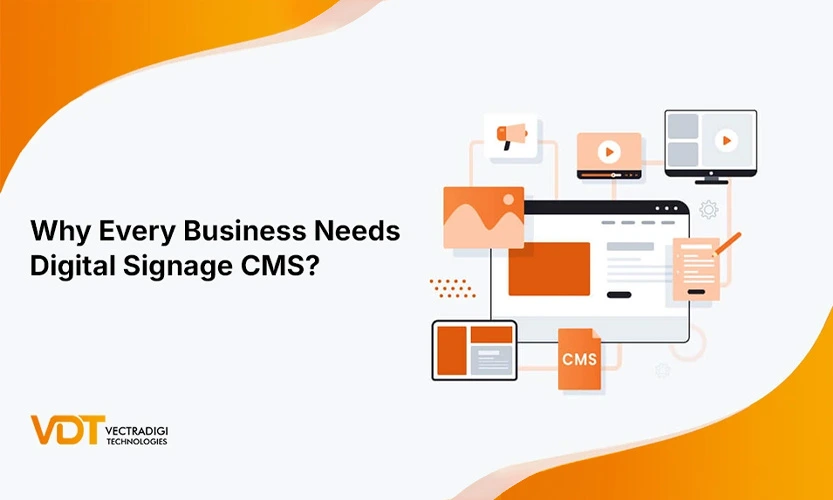

You know those bright screens in cafes showing today’s specials, or the display outside a classroom updating the next lecture? That’s digital signage. But behind those screens is something most people never see—a digital display system quietly managing what plays, when, and where. That system is called a CMS.
Whether you run a school, a hospital, or a retail store, screen content management shouldn’t feel like rocket science. And yet, it often does. This blog is for anyone who’s ever thought, “There’s got to be a better way to handle all this.”
Spoiler: there is. And we’re going to explain it simply.
Table of Contents
What is Digital Signage?
Digital signage is any screen that displays content like videos, images, announcements, or menus in public or semi-public spaces. You’ll see them in malls, airports, lobbies, classrooms, and even elevators.
Think of it as the modern replacement for posters or static boards. But unlike those, digital signage is dynamic. You can change what’s on the screen without reprinting anything. You can also set it up so the content updates at different times of the day.
It’s not just about looking fancy. It’s about being relevant, timely, and clear whether you’re communicating with customers, students, patients, or employees.
What is a CMS in Digital Signage?
CMS stands for Content Management System, basically it’s the thing that decides what shows up on your screens and when. Without it? You’d be stuck plugging in USB drives every time you wanted to update something. And honestly, who has time for that?
With a CMS, all of that hassle disappears. You log into one dashboard, upload your stuff, arrange it the way you want, set the timing, and boom, it shows up on one screen, or a bunch of them, all at once.
Think of it like the remote control for your entire screen setup. No tech expertise is needed. A good CMS makes screen content management feel easy and efficient. Like it should’ve been all along.
How Digital Signage with CMS Works
Here’s the simple version. You start with a smart display or monitor. You connect it to the internet. Then, use the CMS to pick what you want to display.
Let’s say you’re running a digital ad campaign. You log into the CMS from your laptop, upload the latest ad creatives, click “publish,” and the content appears instantly on screens across different locations. Same for stores updating promotions or hospitals posting directions.
You can manage everything from your home or office, there is no need to be physically present there.
Key Features:
A good CMS doesn’t just display content, it gives you control, flexibility, and peace of mind without making things complicated. It should be easy to use.
Remote Content Control
Log in from anywhere that can be your home, office, or even while traveling, and update your screens instantly. No need to be on-site.
Scheduling Tools
Set content to play automatically on certain dates or at specific times. You can even plan an entire month’s lineup all at once.
Multi-Screen Content Management
Easily manage displays across multiple locations, departments, or zones and all from one clean, simple dashboard.
Drag-and-Drop Editor
You don’t need to be techy. Just drag your images around, tweak the layout, hit preview, and you’re good to go.
Real-Time Updates
Messed something up? Need to swap content last minute? No stress, you can fix it and push the update in seconds.
Cloud-Based Access
Everything runs in your browser. No installs, no weird downloads, just log in and manage your screens from wherever you are.
Why CMS Makes All the Difference
Without a CMS, digital signage is nothing but a fancy screen. You’d be stuck manually updating content or worse, paying someone else to do it. That wastes time, energy, and budget.
A CMS changes the game. Suddenly, screen content management is no harder than sending an email. You can keep information fresh, timely, and relevant across all screens, whether you’re in a single building or managing multiple locations.
It also helps prevent mistakes like showing expired promotions or wrong directions. And when you’re juggling daily tasks, knowing your signage runs itself? That peace of mind is priceless.
Real World Applications
Schools and Colleges
These can be used to display class schedules, event alerts, or welcome messages at entrances. No more printed timetables or last-minute chaos. Staff can update info on the fly, even during parent-teacher meetings. It saves you time, reduces confusion, and keeps both students and visitors informed and all from one easy-to-use dashboard.
Retail Stores
Stores can use them to show promotions, new arrivals, festive campaigns, or flash sales without printing a single thing. Content can be changed for all stores in seconds. Offers can be scheduled based on the time of day or specific days of the week. It’s perfect for retail chains that want consistent branding, but flexible messaging that actually drives foot traffic.
Hospitals and Clinics
These can help patients find departments, show which doctors are available, or just share helpful health info in waiting areas. When things change, which they often do, you can update screens instantly. It saves staff from answering the same questions all day, and honestly, it just makes the space feel more organized and calm.
Corporate Spaces
Say goodbye to cluttered notice boards and forgotten emails. These screens can be used to welcome visitors, highlight team wins, or show project updates. Even in break rooms, digital signage keeps people in the loop. It’s low effort, high impact, and way easier than reminding people to check the shared drive again.
Also Read: Top 5 Real-World Applications of CMS for Effective Digital Signage
Top Benefits of Digital Signage with CMS
1. It Saves a Huge Amount of Time
Anyone who’s managed multiple screens manually knows the pain—it’s slow, repetitive, and honestly, no one wants to do it. Using a CMS is simple: just log in, choose the content, and send it to all your screens within seconds. Whether you’re in the office or on the move, everything stays in sync without you running around.
Problem it solves: Updating each screen manually eats up hours and causes delays.
2. It Helps Reduce Common Human Errors
Mistakes can happen when you’re in a rush. Maybe someone forgets to swap out the old ad or updates the wrong file. It happens more than most people admit. A CMS helps stop that. You get scheduling, previews, and full control from one dashboard. That way, you catch typos early, set clear timelines, and avoid last-minute surprises.
Problem it solves: Wrong slides, outdated menus, and missing info confuse your audience.
3. It Boosts Visibility and Engagement
Printed signs just sit there. But motion? Video? Fresh content every day? That grabs attention. Whether it’s a café showing today’s specials or a shop running offers, a CMS lets you change content often so your screens don’t go stale. When screens feel alive, people stop and actually look.
Problem it solves: Printed posters fade into the background and often go unread.
4. It Keeps Your Communication Timely and Clear
What happens when event timings change last minute? Or a department moves floors? You don’t want someone printing new signs while people are already confused. A CMS lets you fix it in real time. Update the info, hit publish, done. You control the message, and your audience stays informed without delay.
Problem it solves: Delayed communication can cause confusion and mistrust.
5. It Cuts Down Your Printing Costs Dramatically
You might not notice it at first, but printing is a hidden expense. Posters for events, paper menus, announcements and they add up. With digital signage and a CMS, you can skip all that very easily. No paper waste. No ink orders. No rushing to a printer at 9 PM before a campaign. Just upload and publish.
Problem it solves: Frequent printing burns the budget and adds unnecessary clutter.
Also Read: Top 6 Powerful Benefits of Using a CMS for Digital Signage
How to Choose the Right CMS for Your Digital Signage
Not all CMS platforms are created equal. Here’s what actually matters when you’re picking one that won’t drive you nuts later.
Easy to Use, Even for Non-Tech People
If it takes a manual and two YouTube videos to update a slide, it’s too complicated. Look for simplicity.
Works Smoothly Across Devices
You should be able to log in from your phone, laptop, or tablet and still get things done quickly.
Solid Scheduling Options
A good CMS lets you plan content days or even weeks ahead. That means less daily stress and no last-minute scrambling.
Cloud-Based Access
No installing software on every machine. Simply open your browser, sign in, and make content updates no matter where you are.
Reliable Support When Things Go Wrong
Because let’s be honest, something will break eventually. Make sure there’s an actual person available to help when something goes wrong.
Scalable for the Future
You may start with two screens, but what if you grow to 20? Pick a system that’s flexible enough to grow with your needs over time.
Also Read: How to Select the Best Digital Signage CMS for Your Business
Conclusion
Digital signage is not just a screen; it’s a smart way to communicate. But without a CMS, it can quickly become frustrating to manage. A good CMS turns your screens into a flexible, real-time communication tool.
Whether you’re running a school, shop, office, or hospital, the right digital display system makes everything simpler. Everything’s in one place which gives you control, consistency, and peace of mind.
So if you’ve ever stared at a screen and thought, “There has to be a better way,” the truth is: there is. Once you start using it, you won’t want to do things the old way again.
Curious how simple digital signage with a CMS really is? Explore our Digital Signage and CMS Solution and discover how it fits into your world without the stress.
FAQs
1. Is technical knowledge required to use a CMS for digital signage?
Not really. Most of these systems are made so regular folks can use them. If you know how to drag and drop or upload a file, you’ll probably be fine. No fancy tech knowledge needed.
2. Can I update all my screens at once?
Yes, and thank god for that. Whether it’s one screen or a hundred, you can push updates from one dashboard, no running around or plugging in USBs.
3. Can I use videos or animations?
Yes, most CMS platforms let you add videos, moving graphics, and even live feeds if you want. It’s a great way to make screens pop and actually get noticed.
4. What if the internet goes down?
Your screens won’t just go blank. Most systems save the latest content locally, so it keeps playing like nothing happened. Once you’re back online, it’ll automatically sync everything up again.