If you’ve ever walked past a store with a frozen screen or a restaurant menu board stuck on yesterday’s specials, you already know why digital signage maintenance matters. It’s easy to assume that once a display is installed, the hard part is over. But screens, media players, and the software running behind them all need regular attention to keep working the way they should. This guide walks you through everything you need to know about digital signage maintenance — from hardware care to software updates, common problems, and how often you should be checking things. Whether you’re managing one screen or fifty, this will help you avoid the headaches that come with neglected signage.
Also Read: Digital Signage for Real Estate: Showcasing Properties
Why Digital Signage Maintenance Isn’t Optional
Think of digital signage the same way you’d think of any other piece of business equipment. A delivery van needs oil changes. A kitchen needs its equipment serviced. Digital signage is no different, even though it’s easy to forget because there are no obvious moving parts.
Screens run for hours every single day, often in busy environments with dust, heat, and constant foot traffic nearby. Over time, that takes a toll. Vents clog up. Cables loosen. Software falls out of date. And when something finally breaks, it usually happens at the worst possible moment — during a big sale, a product launch, or a busy weekend rush.
Regular maintenance isn’t just about avoiding embarrassment. It protects your investment, extends the life of your hardware, and keeps your content looking sharp and professional. A well-maintained signage network can run reliably for years. A neglected one starts causing problems within months.
The Hardware Side: Keeping Your Screens Running Smoothly
Hardware issues are usually the most visible problems, and they’re also the easiest to prevent with a little consistency.
Cleaning and Dust Prevention
Dust is one of the biggest silent killers of digital signage. It builds up inside vents and around media players, trapping heat and forcing internal components to work harder than they should. Over time, this shortens the lifespan of your equipment significantly.
Wipe down screens with a microfiber cloth and a manufacturer-approved cleaner — never spray liquid directly onto the display. For the internal hardware, a quick vacuum or compressed air blast around vents every month or so goes a long way, especially in retail environments or kitchens where grease and dust are constant issues.
Ventilation and Overheating Risks
Overheating is behind a surprising number of signage failures. Screens installed in tight enclosures, direct sunlight, or poorly ventilated areas run hotter than they’re designed to. That extra heat wears down internal components and can shorten a screen’s usable life by years.
Make sure there’s enough airflow around your displays and enclosures. If a screen feels unusually warm to the touch or shuts off randomly, ventilation is often the first thing worth checking.
Mounting and Cable Checks
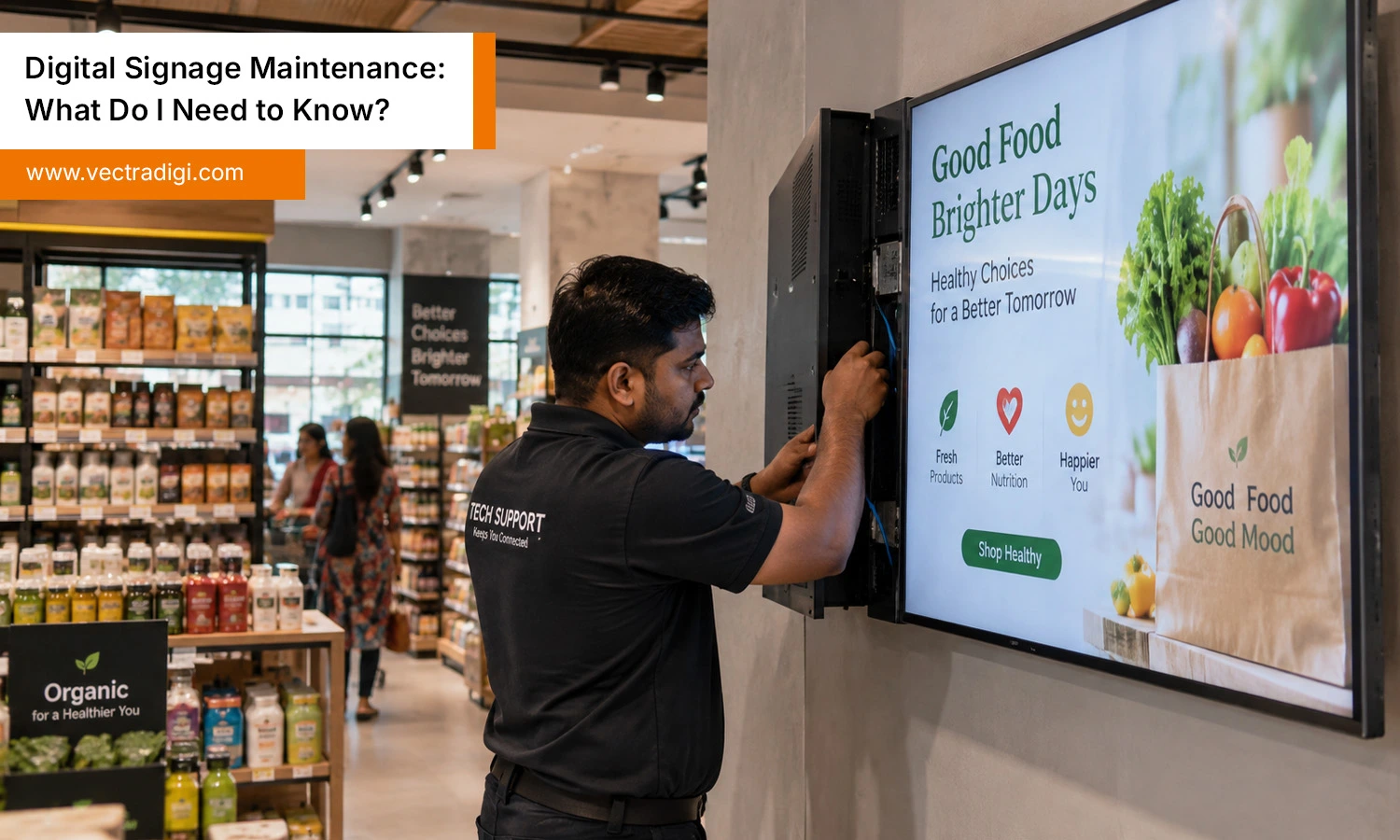
Loose mounts and worn cables don’t just look bad — they’re a safety issue too. Vibrations from foot traffic, HVAC systems, or even nearby machinery can gradually loosen brackets and connectors over months of use. A quick physical check every few weeks, tightening screws and confirming cables are secure, prevents a lot of avoidable downtime.
The Software Side: Updates, Content, and CMS Health
Hardware gets most of the attention, but software issues are just as common — and often easier to fix once you know what to look for.
Firmware and OS Updates
Media players and smart displays run on firmware and operating systems that need regular updates, just like your phone or laptop. Skipping updates leaves your signage vulnerable to bugs, security risks, and compatibility issues with your content management system.
Set a schedule to check for updates rather than waiting for something to break. Most CMS platforms will notify you when updates are available, but it’s worth building this into a monthly routine anyway.
Content Scheduling Errors
Ever seen a holiday promotion still playing weeks after the holiday ended? That’s usually a scheduling error, not a hardware problem. Review your content calendar regularly to make sure playlists, dayparting rules, and expiration dates are set correctly. This is a small thing, but it has a big impact on how professional your signage looks.
Remote Monitoring Tools
If you’re managing more than a handful of screens, remote monitoring software is worth its weight in gold. These tools alert you the moment a screen goes offline, a player disconnects, or content fails to load — often before customers even notice. Instead of waiting for someone to walk by and report a blank screen, you catch the problem immediately.
Common Digital Signage Issues
Even with good maintenance habits, problems still come up occasionally. Here are the ones you’re most likely to run into.
Screen burn-in or dead pixels. Static images left on screen for too long can cause faint ghosting over time. Rotate your content regularly and avoid leaving a single static image running for hours on end.
Frozen or unresponsive players. This is often caused by outdated firmware, memory overload, or a corrupted file in the playlist. A simple restart fixes it temporarily, but if it keeps happening, check for software updates or clear out unnecessary cached files.
Connectivity or network dropouts. Wi-Fi interference, weak signal strength, or router issues can cause screens to lose connection with your CMS. Wired connections are generally more reliable than Wi-Fi for signage that needs to stay online constantly.
Power issues. Power surges and outages can damage internal components over time. A decent surge protector is a small investment that prevents a much bigger repair bill down the line.
Your Digital Signage Maintenance Checklist
Here’s a simple routine you can follow, broken down by frequency:
Daily
- Do a quick visual check for frozen screens or display errors
- Confirm content is playing and scheduled correctly
Weekly
- Wipe down screens with a proper cleaning cloth
- Check that all cables and mounts feel secure
Monthly
- Clean vents and internal components to prevent dust buildup
- Check for firmware, software, and CMS updates
- Review analytics or monitoring alerts for recurring issues
Yearly
- Have a professional inspect hardware, wiring, and mounting structures
- Evaluate whether any screens need replacing due to age or performance decline
- Reassess your maintenance plan based on the past year’s issues
Keeping this on a calendar, even a basic one, makes it far less likely that small issues turn into expensive ones.
Should You DIY It or Hire a Maintenance Service?
For a single screen or two, handling maintenance yourself is usually manageable. Basic cleaning, restarts, and software updates don’t require specialized skills, just consistency.
Once you’re managing multiple locations or a larger network of screens, though, professional maintenance services start making a lot more sense. They typically offer remote monitoring, faster troubleshooting, scheduled on-site visits, and access to replacement parts you might not have on hand. This matters most for businesses where signage plays a direct role in sales or customer experience — retail chains, restaurants, and corporate lobbies, for example.
A good middle ground many businesses land on is doing basic day-to-day checks in-house while outsourcing deeper technical maintenance and emergency repairs to a specialist. This keeps costs manageable without leaving you stuck when something more serious goes wrong.
How Much Does Digital Signage Maintenance Cost?
Costs vary depending on the size of your network and how much you handle yourself. Basic in-house maintenance costs very little beyond your own time and the occasional replacement part. Professional maintenance contracts, on the other hand, are usually priced per screen or per location, and often range based on how much coverage you want — monitoring only, scheduled visits, or full-service plans that include emergency repairs.
It’s worth weighing this cost against the cost of downtime. A single malfunctioning screen during a big promotion can cost far more in lost sales or brand impression than a year of proper maintenance would.
Final Thoughts
Digital signage maintenance doesn’t have to be complicated, but it does have to be consistent. Most screen failures trace back to a handful of preventable issues: dust, heat, outdated firmware, and loose connections. A simple routine of regular cleaning, software updates, and quick visual checks saves you from bigger, costlier problems down the line. It also protects what matters most — how your business looks to customers walking past your screens every single day. Whether you manage one display or fifty, treating maintenance as an ongoing habit keeps signage reliable, professional, and worth the investment for years to come.
Don’t let a blank screen cost you customers. Talk to Vectradigi today and get a custom maintenance plan built around your signage network, before small issues turn into expensive ones.
Frequently Asked Questions
Q1. How often should digital signage be maintained?
Ans: Basic checks should happen daily, with deeper cleaning and software updates monthly, and a full professional inspection at least once a year.
Q2. What causes most digital signage failures?
Ans: Dust buildup, overheating, outdated software, and loose connections are the most common causes of signage problems.
Q3. Can I maintain digital signage myself?
Ans: Yes, for small setups. Cleaning, restarts, and basic software updates are simple enough to handle in-house. Larger networks usually benefit from professional support.
Q4. Does digital signage need internet access at all times?
Ans: It depends on your CMS. Cloud-based systems need a stable connection to update content and pull analytics, while some standalone players can run offline for stretches at a time.