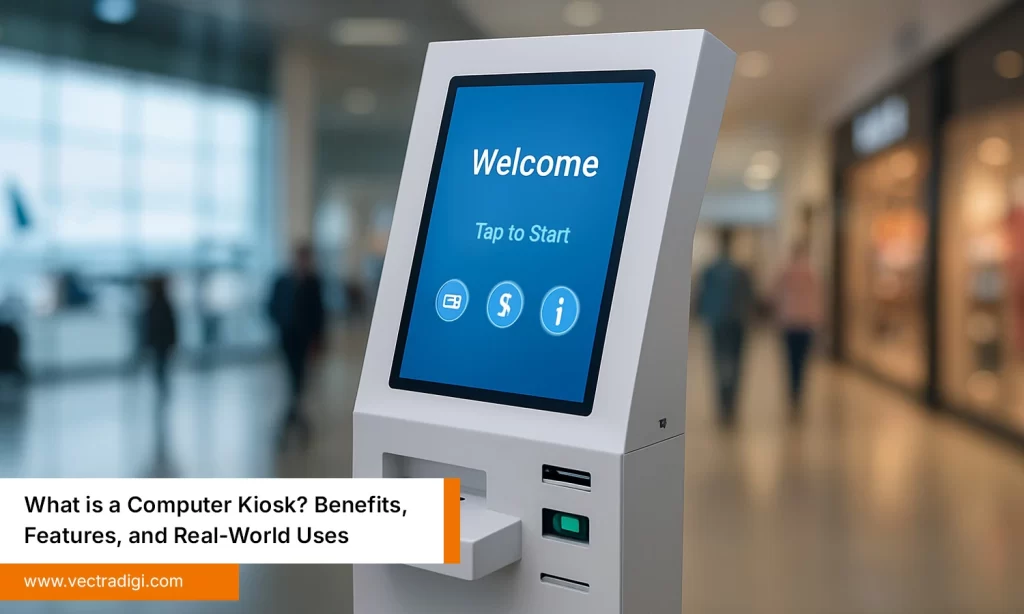

Have you ever walked into a store and waited just to ask a simple question or make a payment? It’s annoying, and customers remember it. A computer kiosk changes that experience completely. It lets people help themselves in seconds, saving time and improving satisfaction. From retail shops to hospitals, these kiosks handle check-ins, ticketing, and payments without fuss. But with so many options around, buying the right kiosk can get confusing. Don’t worry, this guide will walk you through what to look for, what to avoid, and how to find the one that fits your business best.
Table of Contents
Also Read: What is a Computer Kiosk? Benefits, Features, and Real-World Uses
Common Problems Businesses Face Without Kiosks
Businesses that skip kiosks often struggle to keep up with today’s fast-paced, tech-savvy customers. Manual work slows operations, increases costs, and frustrates both staff and visitors.
Here are some common issues:
- Long queues and irritated customers during busy hours.
- Employees are stuck doing repetitive, low-value tasks.
- Inconsistent or inaccurate data collection.
- Missed sales opportunities and poor engagement.
- Outdated image compared to modern competitors.
Customer suffers, and that directly impacts revenue. Self-service technology doesn’t replace people, it supports them. It gives businesses the flexibility to focus on what really matters, like service, innovation, and growth. A simple upgrade to a smart kiosk system can be the turning point for smoother workflow and happy customers.
Key Factors to Consider Before Buying
Buying the most expensive computer kiosk doesn’t mean you’ve got the best one. What really counts is how well it fits your business, the performance, the look, and whether it can actually keep up. A good kiosk shouldn’t feel like one more thing to manage, it should just quietly make your day easier.
1. Hardware Quality
A kiosk’s performance starts with what’s inside and how solidly it’s built. Choose one with tough materials, a bright display, and a processor that doesn’t crawl under load. Cheap kiosks break down within months, they overheat, slow down, and cost more in repairs than they’re worth. Strong hardware lasts longer and gives customers a better experience, plain and simple.
2. Software Compatibility
Your software should talk smoothly with your existing setup. Whether you’re handling billing, visitor check-ins, or feedback forms, integration is key. Go for a kiosk that updates regularly and keeps data safe. Although it may seem insignificant, selecting software that scales readily will save you money and difficulties in the future.
3. Design and Size
Looks might not run your business, but they do shape first impressions. Match your kiosk to your space: a sleek, compact unit for tight counters, or a taller, freestanding one for bigger areas. The right design doesn’t just fit in, it enhances your space, making it look modern.
4. Connectivity Options
Bad internet ruins a kiosk faster than anything. Make sure it supports Wi-Fi, Ethernet, or even 4G/5G if your setup needs it. Nothing’s worse than a frozen screen when customers are waiting. A strong, steady connection keeps everything running payments, updates, the whole thing, without any drama.
5. Security Features
If your kiosk handles data, don’t gamble with security. Choose encrypted connections, solid logins, and secure payment options. These are the important things. Updates matter too, if you skip them, you’ll regret it later. People notice when they feel safe using your system, and that trust sticks around.
6. After-Sales Support & Warranty
Even a great kiosk can misbehave. That’s when you find out if the brand you bought actually cares. Pick one that offers real support, quick replies, remote help, and a warranty that means something. When issues pop up, fast help saves your nerves, your time, and your business day.
Common Mistakes to Avoid
Buying the wrong kiosk can be an expensive lesson. Many businesses rush the process and regret it later.
Avoid these common mistakes:
- Going for the cheapest model and hoping it’ll last.
- Forgetting to check if the software actually connects with their system.
- Treating warranty and maintenance like fine print.
- Ignoring how easy or hard it’ll be for customers to use.
- Skipping demos and realizing mistakes too late.
Every business has different requirements; therefore, a kiosk is not a one-size-fits-all offering. Shortcuts may save money up front, but they can end up costing a lot more. The best course of action is to do extensive research, evaluate various models, and consider how your kiosk will assist clients on a daily basis.
How to Pick the Best Computer Kiosk
Finding the right computer kiosk doesn’t have to be stressful. Most people overthink it when all it really takes is a bit of clarity and some hands-on testing before you say yes.
Follow these steps:
- Figure out what you actually need it for: payments, info display, ticketing, whatever fits your setup.
- Measure available space and select a suitable design.
- Check compatibility with your existing systems.
- Compare pricing, performance, and user reviews.
- Ask for a live demo or test setup.
- Review after-sales support and upgrade options.
These procedures will help you rapidly choose which model best suits your needs. A proper kiosk not only simplifies operations but also boosts your business image. It turns into a component of your customer experience strategy rather than just a tool.
Why Choose VectraDigi Computer Kiosk
If you’re serious about getting performance and reliability in one package, the VectraDigi Computer Kiosk won’t let you down. It’s built for today’s fast-moving world, sleek on the outside, strong on the inside, and surprisingly simple to use. Setting it up doesn’t take forever, and it fits right in whether it’s a retail store, a hotel, or a corporate space.
“The VectraDigi kiosk feels like an extra team member, efficient, sharp, and always ready,” says one delighted user.
For any company stepping into digital transformation, it’s a smart choice to have dependable support, tight security, and a kiosk built to stay with you for years.
Conclusion
Technology moves fast, and so do your customers. A well-chosen computer kiosk can be the difference between chaos and calm, between long lines and smooth service. It’s not just about screens and systems, it’s about creating effortless moments for your customers and saving your team time. The right kiosk quietly does its job, improves efficiency, accuracy, and trust every single day. Whether you run a store, school, or hospital, investing in a quality kiosk like VectraDigi means investing in better experiences and stronger growth. Smart tools don’t just support business, they move it forward.
Don’t let outdated systems slow you down. Choose VectraDigi Computer Kiosks for smoother operations, happy customers, and a smarter business experience. Upgrade your workspace with confidence today.