
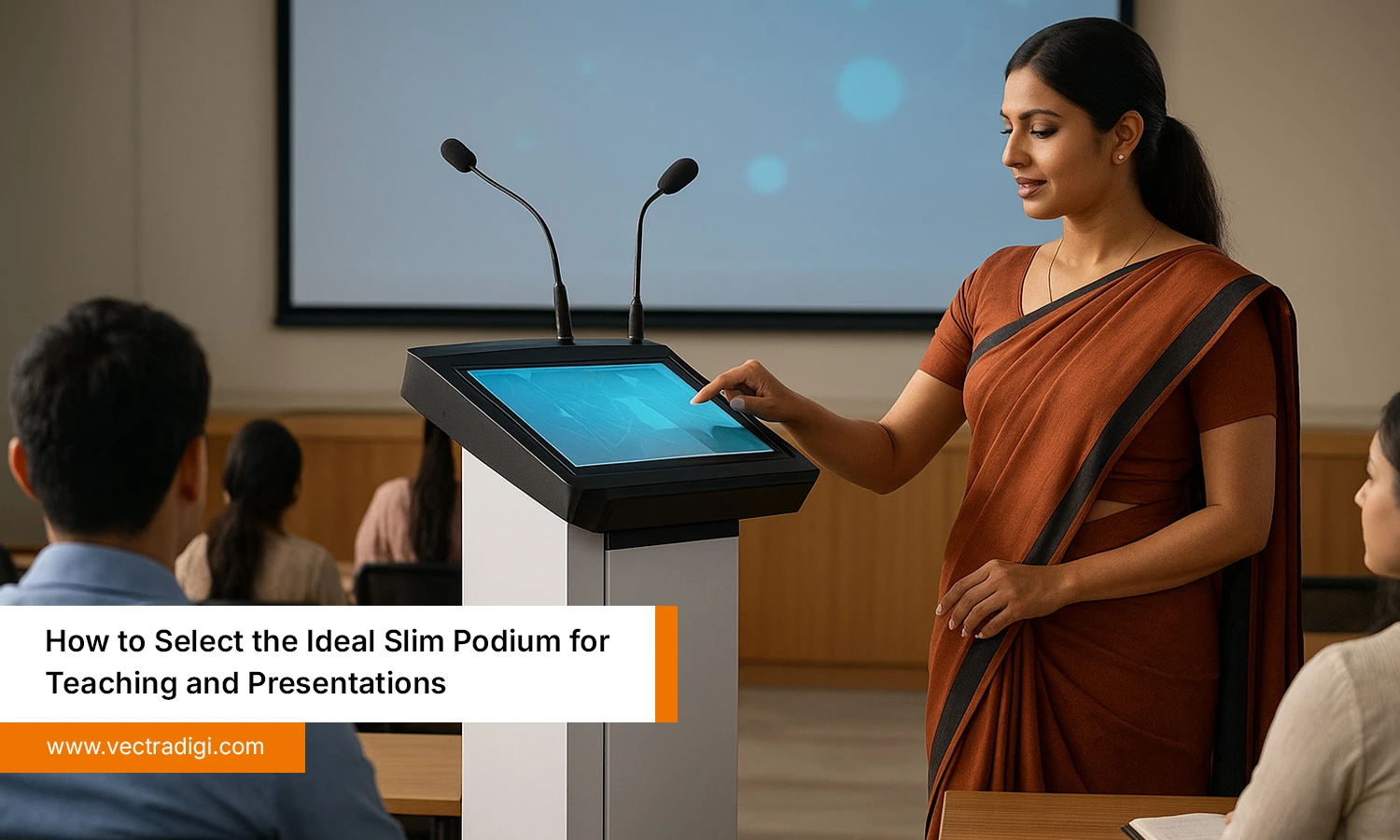
If you’ve ever stood in front of a classroom or a hall full of people, you probably know that uneasy moment. When your laptop starts slipping off one side, the mic cable twists, and your notes scatter. Teaching or presenting shouldn’t feel like juggling. Yet it often does. That’s exactly where a slim podium for teaching steps in, quietly making your setup feel organized and calm again.
In this blog, I want to talk about how to choose the ideal slim podium for teaching and presentations, not the fanciest one. But the one that actually makes your work easier. We’ll go through the features that matter, the mistakes people often make, and why the right podium can truly change your teaching flow.
Table of Contents
Also Read: What is a Slim Podium? Benefits, Features, and Real-World Uses
Why Teachers and Presenters Need the Right Podium
A good podium is more than a place to keep notes — it’s the command center of every classroom or presentation. When the setup is right, teaching feels effortless. But when it’s wrong, even the best speakers struggle.
Common problems teachers face include:
- Tangled wires and scattered remotes
- Poor ergonomics that cause back or neck strain
- No display integration for slides or media
- Limited mobility between rooms
- Outdated design that doesn’t fit modern teaching
When your setup feels clumsy, your confidence feels clumsy too. And that’s something every teacher or presenter understands deeply.
“Great teaching isn’t about fancy slides — it’s about how comfortably you can connect with your audience.”
That’s why choosing the right digital podium for classroom use can truly transform your sessions.
Key Features to Look for in a Slim Podium
When you’re thinking about buying a slim podium, it really helps to pause for a moment and figure out what you actually need. Every presenter or teacher works differently. Some need built-in screens, while others just want enough space for notes and comfort. The goal is simple: find a podium that just makes your sessions run smoother without any unnecessary interruptions.
1. Compact and Modern Design
A slim podium should fit your room, not overwhelm it. Look for a design that is sleek, modern, and does not take up unnecessary space. It should be light enough to move but stable enough to feel secure. A balanced design quietly complements your classroom or office environment. Simple, clean, and elegant shapes make your space feel professional while remaining practical for everyday use.
2. Built-In Touch or Display Options
If you’re a teacher or presenter who uses digital content a lot, a podium with a built-in touchscreen or display really comes in handy. You can flick through slides, videos, or notes right there, without running around looking for a remote or juggling devices. Even a small display makes things feel smoother and keeps you in touch with your audience. Honestly, it saves a lot of time and makes everything flow better.
3. Strong Audio and Microphone Support
Clear sound makes a huge difference in any presentation. A slim podium with built-in microphone support ensures your voice reaches every corner of the room. Some models even let you use two microphones or have noise-reducing features, which is great if you move around while talking. Investing in good audio support avoids the frustration of repeated explanations. Your visuals only matter if your audience can hear you properly, making this feature critical for engagement.
4. Solid, Durable Build
A slim podium should be solid enough to last and handle daily use. You want one that feels solid when you touch it, whether it’s made of metal, good wood, or a sturdy composite. Check that it doesn’t wobble and can take a few scratches or bumps from everyday use. A podium like that lasts longer, saves you the hassle of replacements, and honestly makes you feel more confident when speaking in a classroom or office.
5. Easy Connectivity and Power Access
Modern podiums need to work well with today’s technology. Check that the USB, HDMI, and audio ports are easy to get to. Keeping your cables neat keeps your space from getting messy and saves you time, so you can focus on your session instead of dealing with tangled wires. Podiums that are set up for quick connections make it easy to hook up laptops, projectors, or sound systems without the hassle. Having easy access to power and ports makes setting up much quicker and keeps your space tidy. It just makes everything feel more organized and professional.
6. Comfortable and Ergonomic
A slim podium should let you stand for long sessions without ending up stiff or uncomfortable. It should feel right so you can focus on speaking and not worry about the podium. The height should feel right for you, and anything you need should be easy to reach. It must have ergonomic features to stop you from bending or stretching too much while you’re talking. Even little things, like layout, that actually make a big difference and just make things easier to handle. It helps you stay comfortable and focused while keeping your audience interested.
7. Clean, Professional Look
Appearance really does matter because it sets the tone for your presentation. Select one that’s simple and professional and that just fits in naturally with a classroom, training room, or office. Try to stay away from podiums that are too shiny or bulky because they can be distracting. Colors like black, white, or grey usually just work. A clean, simple podium makes you feel more confident and professional, and it keeps people looking at what you’re actually saying rather than the furniture.
Common Mistakes to Avoid When Choosing a Slim Podium
Even experienced educators who’ve done this a hundred times can slip up when picking a podium. A few small things can turn into annoyances later.
Some mistakes to watch out for:
- Picking a podium just because it looks nice, without thinking about how it’ll actually work
- Ignoring whether it fits with your display or sound setup
- Not checking if it actually fits in your classroom or workspace.
- Going for the cheapest option that won’t last
- Forgetting to try the height, angle, or how comfortable it feels
- Skipping over the warranty or whether the brand will help if something goes wrong
A podium might look good on the outside, but if it slows you down, it just makes teaching harder. The best podiums are the ones that look good but actually work well, too. Try it out first, see if the ports and cables are easy to use, and go with a brand that’s going to have your back if anything comes up.
In short: think it over, test it out, and focus on what will actually stick.
Why Choose VectraDigi Slim Podium
The VectraDigi Slim Podium is made for teachers and presenters who want something simple but smart. It’s sleek, durable, and built to handle real teaching. With touch-enabled displays, an ergonomic design, and plenty of connectivity options, it works perfectly in any modern classroom or training hall.
Educators across India trust VectraDigi for reliability and service support that actually lasts.
“Technology doesn’t replace good teaching — it empowers it. VectraDigi builds that bridge.”
Explore the VectraDigi Slim Podium and experience how teaching feels when technology finally works with you — not against you.
Conclusion
Honestly, getting the right slim podium can make a big difference. It’s not about picking the fanciest one or worrying about every feature. You just need something that works for you, feels solid, and doesn’t get in your way. Being able to reach your notes, have decent audio, and a screen that actually helps matters way more than you’d think. When your podium just does its job, teaching or presenting feels a lot less stressful, and you can focus on the people in front of you. Something like the VectraDigi Slim Podium just makes it all easier.
If you’re tired of juggling notes, cables, and slides, take a look at the VectraDigi Slim Podium. It just makes teaching and presenting easier, smoother, and less stressful.