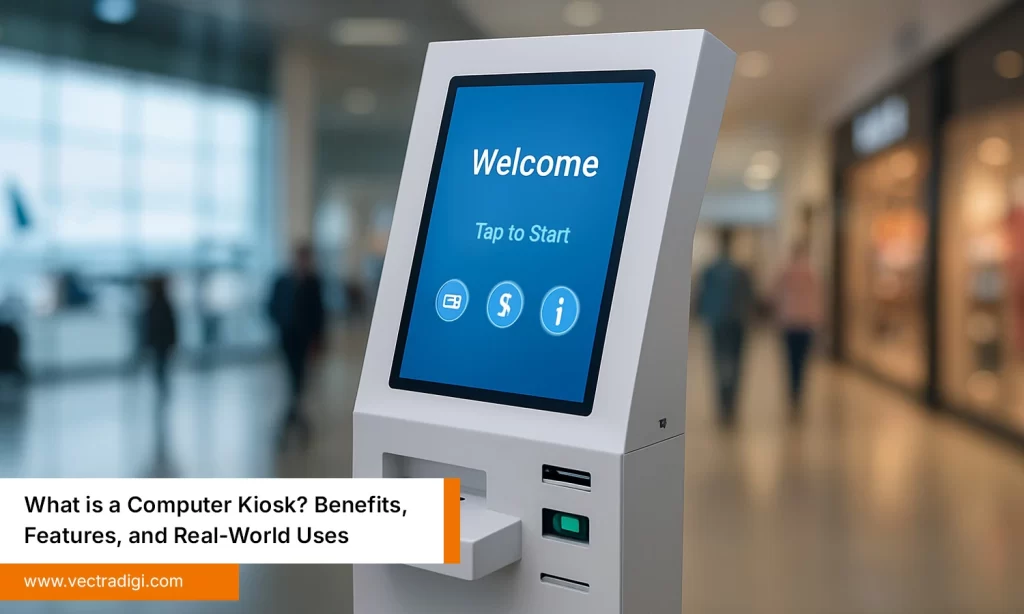

In today’s world, offices and public areas often feel busy, loud, and sometimes downright overwhelming. Phones ring constantly, papers are strewn everywhere, and people just wander around, looking lost, looking at the walls, checking desks, trying to figure out where to go. Things that should be simple like checking in, finding a form, and getting information, somehow take forever. It’s frustrating, and everyone notices it, even if no one says it out loud.
Then there are computer kiosks. They sit quietly, almost invisible, doing the work that otherwise slows everything down. Visitors get directions, forms are handled, and staff don’t have to chase every little question. Suddenly, the place feels organized. It’s not something magical; it’s just a smarter way of handling everyday chaos.
Table of Contents
Also Read: What is a Computer Kiosk? Benefits, Features, and Real-World Uses
1. Streamlined Visitor Management
Imagine a new client coming to your office for the first time. The receptionist is juggling phone calls and paperwork, and the line is growing. Long wait times can feel disrespectful, even if the staff are doing their best.
Enter computer kiosks. With tools like self-check-in, on-the-spot visitor passes, and clear signage, the lobby experience becomes quick and hassle-free. No more queues, no more scrambling. Staff can focus on welcoming guests rather than paperwork. And the best part? The first impression changes from stress to professionalism. A simple digital interface can make the entire office feel organized and welcoming.
2. Efficient Information Access
Crowded public spaces can leave anyone feeling disoriented. Bulletin boards are outdated, help desks have long lines, and the forms people need seem to disappear into thin air. It’s confusing, frustrating, and wastes time, more than anyone notices.
Computer kiosks quietly fix that. Need to find a department? A form? Directions through a sprawling office? One touch, and the information pops up. No asking around, no wandering aimlessly. That small bit of freedom changes things more than it looks. People start moving with a bit more purpose, the space somehow feels less chaotic, and the little frustrations that used to pile up… well, they just fade away without anyone really noticing.
3. Reduced Staff Workload
In every office, the same questions keep popping up—“Where’s HR?” “Which floor is accounting on?” “How do I submit this form?” Staff answer them again and again, and even with the best intentions, it starts to wear on them. Little mistakes slip through, stress builds quietly, and by the end of the day, energy feels drained.
Computer kiosks handle the routine, repetitive tasks. They guide visitors, handle registrations, and give instructions without fuss. Staff get to focus on work that actually needs them, not chasing small tasks. Things run smoother, mistakes drop, and by the end of the day, everyone feels a little less frazzled.
4. Enhanced Customer Experience
When things go smoothly, visitors barely notice. Check-ins move along quickly, information is right there when it’s needed, and moving through the space just feels easier, almost effortless. But when things are slow or confusing, lines build up, directions get mixed, and little delays pile up until they start to annoy everyone.
Computer kiosks take care of most of that quietly. Screens are simple, menus make sense, responses are quick. Visitors leave feeling like it all just worked. They remember it, tell others, come back more easily. It is not just about convenience. It makes the place feel like everything is finally falling into place.
5. Data Collection & Insights
Behind the scenes, kiosks do more than just help people. They quietly gather useful information. Which floors are most visited? What forms are requested most often? It’s hard to tell when the busiest hours really are. Without that information, managers are left guessing, and more often than not, time and resources get wasted in the wrong places.
Kiosks track usage patterns automatically, giving actionable insights. Facility managers can plan staff schedules, optimize layouts, and even improve services based on real data. Feeling sure about decisions lowers stress and helps work get done more efficiently. With the right data, a space doesn’t just keep running—it starts to make sense. It starts to make sense, almost like it’s figuring things out on its own.
Conclusion
Computer kiosks are not just another gadget sitting in a corner. They step in where little problems keep slowing things down—long check-ins, lost forms, endless questions—and quietly fix them. Offices feel more organized, public spaces feel less chaotic, and visitors leave with a better impression. Employees get relief from the boring, repetitive tasks and can spend their energy on meaningful work.
For managers, the story is even bigger. Kiosks turn everyday activity into data that shows what’s really happening. Decisions start feeling a little easier, resources end up where they’re actually needed, and the whole space just… works better.
At the end of the day, it comes down to this: less stress, smoother days, and a better experience for everyone passing through.
Ready to make your office or public area less chaotic and easier to navigate? Start with computer kiosks. They’re simple to set up, easy to use, and they take a lot of pressure off both staff and visitors. Reach out today and see how quickly the change shows up.