Traditional podiums are still usable, but now they’re starting to feel outdated in today’s modern needs, especially in classrooms, lecture halls, and corporate spaces where presentations need to do more than just talk. That’s where the digital podium comes in. It is similar to a traditional podium in terms of structure, but the key difference is its integration with modern technology. Everything you need to present, explain, or teach without juggling wires or devices is already there. If you’ve seen one and wondered what it actually does or whether it’s worth using, that’s what we’ll talk about in this blog. Let’s break it all down: what it is, how it works, and where it fits best.
Table of Contents
What is a Digital Podium
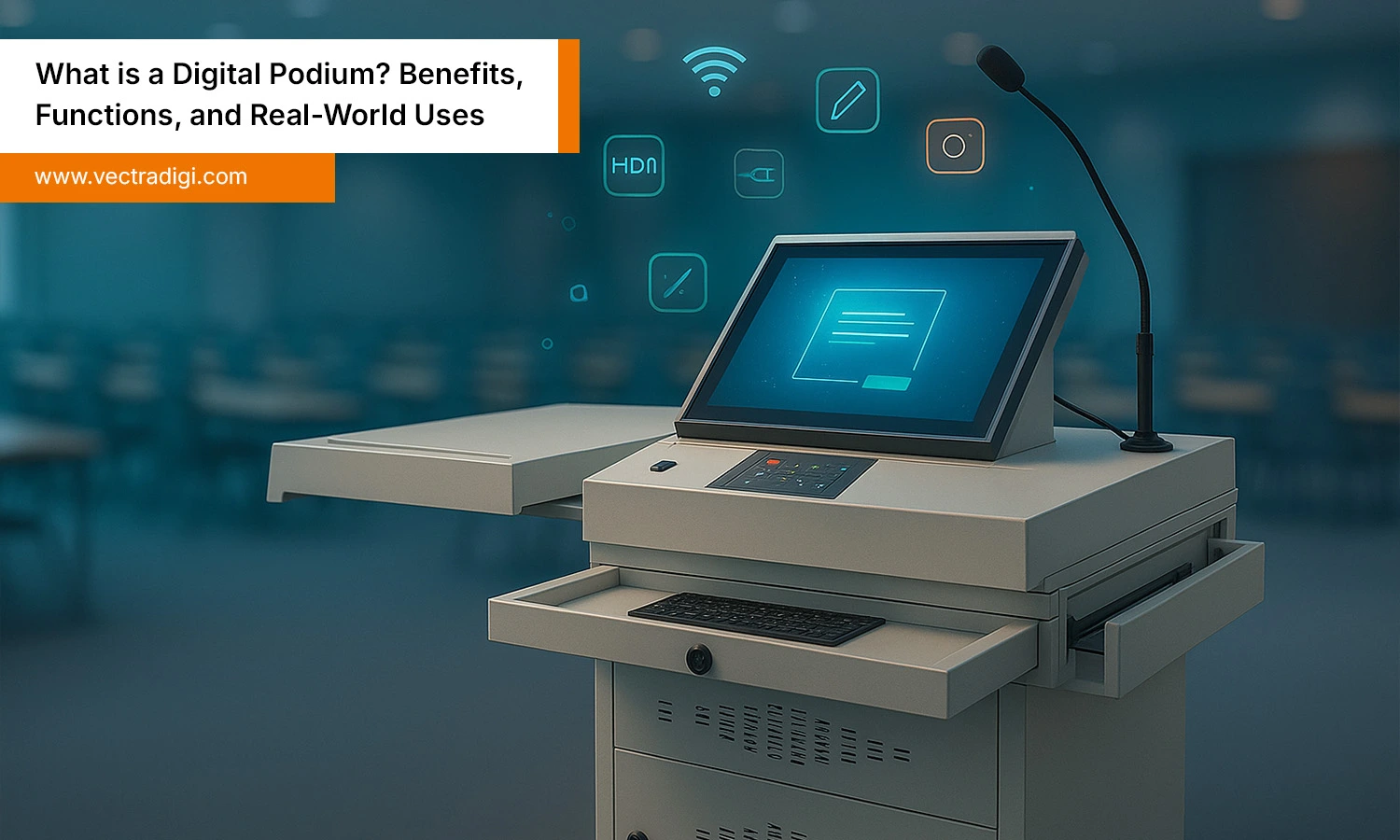
It looks like any other regular podium, but from inside it is an advanced system built to make presentations more impactful. It includes a touch-enabled display, built-in computer, microphone, speakers, and sometimes a document camera or interactive pen. It’s made for teachers, trainers, and public speakers who want more control during sessions. Instead of juggling separate devices, everything is built into one place. It feels smart, efficient, and honestly relieving. You don’t have to stress about switching between tools. Just walk up, start your session, and focus on your content. It makes teaching or speaking smoother, more interactive, and a lot more professional.
How it works?
Using it is simple but powerful. The presenter controls everything from a built-in touchscreen, from where he can open slides, play videos, browse the internet, or write directly on the screen. If there’s a connected projector or display, the content shows live to the audience. Need better sound? Adjust the mic or speaker volume from the same interface. Some podiums even let you record the session or connect wirelessly to other devices. It’s like having a control center in front of you. You stay in charge without calling IT or fiddling with cables. That’s the magic—tech that works with you, not against you.
Key Features
Touchscreen Display – It makes it easy to navigate while presenting, just tap or swipe to control your presentation.
Built-in Computer – There is no need to carry a laptop. Just log in and access your files directly from the screen.
High-Quality Microphone and Speakers – It includes gears that produce clear sound that fills the room without any noise issues.
Annotation Tools – It allows you to draw, highlight, or even write on the screen while explaining something.
Document Camera – You can show physical books, notes, or objects live on screen.
Multiple Connectivity Ports – You get all the usual ports like USB, HDMI, and LAN, so whatever you need to connect, you’re good to go.
Wireless Access – Anyone can connect to the internet or other devices without cables.
Lockable Storage Cabinet – It secures your device and keeps your materials safe.
Everything’s built-in, so you can focus on your session, not the setup.
Real World Uses
1. School Classrooms
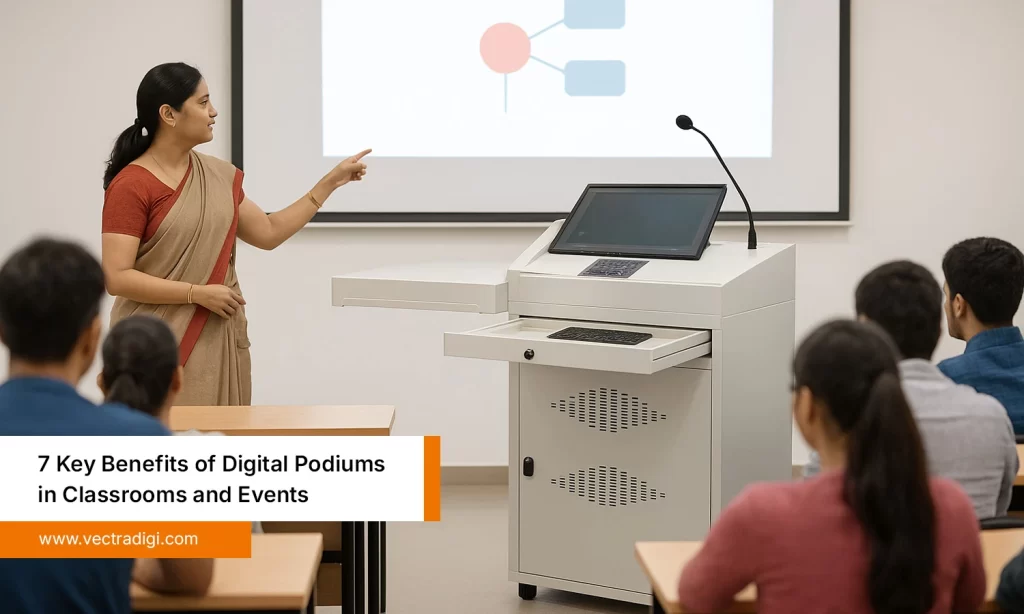
Teachers can use them to show slides, play videos, and write directly on the screen while explaining complex topics. It helps make lessons more visual and keeps students engaged.
2. College Lectures
In universities, it allows professors to switch between slides, websites, and handwritten notes without juggling between different devices. It saves a lot of time and makes teaching smoother and smarter.
3. Office Meetings
Team leads and trainers can use them to run presentations without the usual setup hassle. No extra wires or devices, just walk in, tap the screen, and start.
4. Public Seminars
At events and conferences, speakers often need to shift between different types of content, which wastes a lot of time. Podium makes that easy and keeps everything running smoothly.
Wherever someone needs to speak, show, and explain, this tool just makes the whole experience simpler and more professional.
Also Read: Top 6 Applications of Digital Podiums for Modern Presentations
Top Benefits
1. It saves you time
Now, there is no need to rush to set up your laptop, find the right cable, or fix the mic. Everything is already built in, you just walk up, tap the screen, and you’re ready to go.
Problem it solves: Wasted time and last-minute tech stress.
2. It’s actually easy to use
You don’t need to be very technical to operate the Podium. The touchscreen will feel familiar, and all the controls are right in front of you.
Problem it solves: Overcomplicated setups and tech anxiety.
3. Your sessions become more engaging
Switching between slides, videos, handwritten notes becomes very simple. You can even show a book live on screen. It helps you explain better, and people actually pay attention.
Problem it solves: Boring presentations and distracted audiences.
4. It looks clean and professional
It just looks so neat, modern, and professional. There is no mess of cables or extra gear on the desk. This gives the audience the confidence that you are up to date and professional.
Problem it solves: Cluttered setups that feel outdated or distracting.
5. It keeps you in control
When everything’s built into one place, you’re not depending on someone else to manage the slides, adjust the mic, or fix the sound. You’re running the show from start to finish, and that feels good.
Problem it solves: Losing control of your session or needing constant tech support during presentations.
Once you’ve tried it, the old way feels like a hassle.
Also Read: 7 Key Benefits of Digital Podiums in Classrooms and Events
How To Choose The Podium
Choosing the right podium doesn’t have to be complicated. You just have to focus on what you need and not what sounds impressive on paper. Here are a few things that you should look for:
Think about the space
Is it for a small classroom or a big hall? Bigger rooms need stronger speakers and a larger screen. Smaller spaces don’t need all that power.
Consider who’s using it
If teachers or speakers aren’t very tech-savvy, go for something simple. A clean touchscreen interface is much easier than a complicated setup.
Pick the features you’ll actually use
Need to draw or highlight while speaking? Look for annotation tools. Want to show a book or paper live? You’ll need a document camera. Don’t pay for features you’ll never touch.
Check the audio quality
Good sound makes a huge difference. Make sure the mic and speakers are loud and clear enough for the room.
Look at connectivity options
You’ll want USB, HDMI, LAN, and maybe Wi-Fi. It should be easy to plug in and start—no fiddling with adapters or calling IT.
Ask about support and service
Even the best tech can have issues. Go with a company that offers quick support, training, and service when you need it.
If possible, test it
A quick demo will tell you a lot. You’ll feel right away if it’s easy to use—or a headache waiting to happen.
Bottom line:
Choose the podium that feels simple, solid, and useful for your day-to-day work. It’s not about what’s flashy. It’s about what actually makes your job easier.
Also Read: How to Choose the Right Digital Podium for Your Classroom or Office
Conclusion
So basically, it is not just a fancy upgrade to your regular podium. It is a tool that makes teaching, training, and presenting easier and impactful. And, to be honest, it really works. It brings everything you need into one place, so you can focus on what really matters, i.e., connecting with your audience. Whether you are in a classroom or on a stage, this gives you the control and confidence to deliver your message simply and intactly, without any technical hassles. If you’ve been dealing with clunky setups and scattered devices, switching to a podium is a small change that makes a big difference. Once you try it, you won’t look back.
Ready to ditch the wires and tech stress? Try the VectraDigi Digital Podium and make your sessions smoother, smarter, and way easier to run.