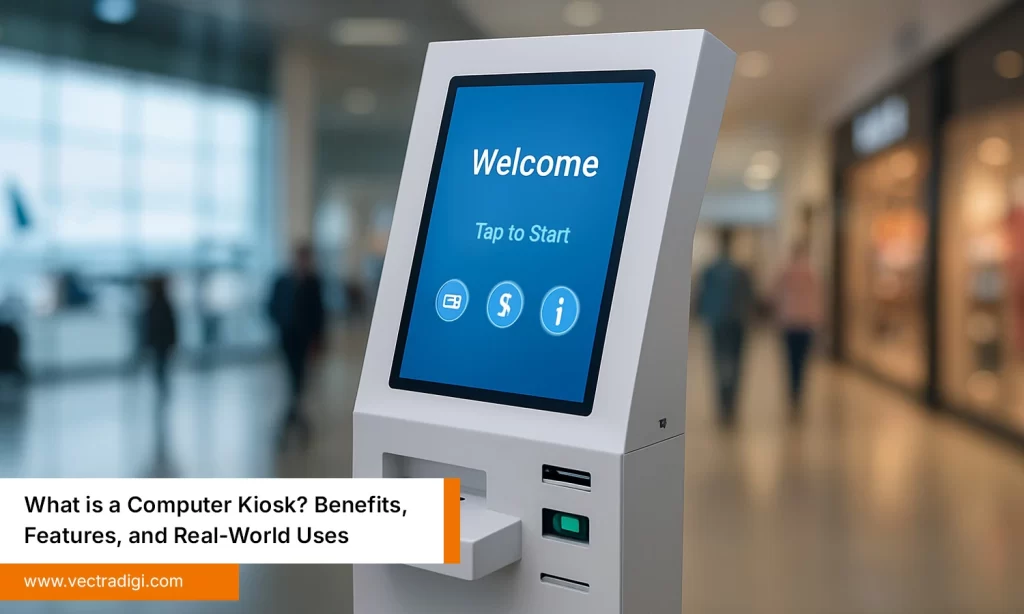

In the rapid pace of today’s world, convenience and efficiency are very important aspects of customer service. You’ve likely encountered a self-service or stand-alone machine in a corner of an airport, bank, hospital, or retail store that has assisted customers. Hence, they have a way to obtain information or complete the required task on their own. This is a computer kiosk—a reliable, self-service solution that streamlines operations while reducing the burden on human staff.
Computer kiosks are becoming increasingly popular in industries ranging from healthcare and hospitality to retail and government services. This blog explores digital kiosks’ growing importance, features, advantages, and the wide range of industries benefiting from them.
Table of Contents
What is a Computer Kiosk?
Simply put, a computer kiosk is a stand-alone machine composed of hardware and software that gives the user the required tools to do something independently, such as checking in, obtaining university data, printing a receipt, or seeing information or services. Kiosks are built for public or semi-public environments and are usually secured in a housing that will protect the unit from damage or misuse.
Unlike tablets or mobile devices, digital kiosks are purpose-built for durability and functionality. They usually include a display screen, touchpad or keyboard, and are sometimes accompanied by a card reader, printer, scanner, or camera based on the application’s requirements.
Also Read: What is a Computer Kiosk? Benefits, Features, and Real-World Uses
Key Features of a Computer Kiosk
A well-designed computer kiosk includes:
1. Durable Kiosk
The kiosk is enclosed in a metal housing or housing made from composite materials that can ensure that the kiosk withstands public usage and potential mischief. The kiosk is encased in a metal or strong composite shell to withstand heavy usage and potential tampering in public spaces.
2. Display Quality
The display of the kiosk is designed to remain on much of the time and may have anti-glare and high brightness to assist in visibility under various light conditions.
3. Auxiliary Devices
Computer kiosks can be outfitted with barcode scanners, printers, card readers, cameras, speakers, and other devices to support the designed task as well as the user.
4. Managed Software
Kiosks run managed software systems that only give the user access to the intended tasks, protecting the recorded data and access to further secured data.
5. Remote Management
Many kiosks provide backend support, enabling real-time monitoring, software updates, and maintenance alerts, thereby providing time to react proactively, improving uptime, and reducing operational costs.
Top Benefits of Using Computer Kiosks
Companies and organizations are investing in digital kiosks for the following reasons:
1. Reduced Wait Times
Kiosks reduce line-ups to the extent that they allow customers to perform simple tasks without assistance from staff, easing congestion that occurs in busy environments like department stores, airports, or hospitals.
2. Operational Efficiency
Kiosks handle routine functions such as check-ins, payments, and displaying information. Once educated on kiosks, staff involvement can be minimized, which also frees up human resources to focus on more valuable propositions of service.
3. 24/7 accessibility
Computer Kiosks never close. Customers can access your services, even outside traditional business hours, increasing opportunities to provide a service to your customers.
4. Cost Reduction
The initial investment made into these types of kiosks may be significant; however, in time, these kiosks can provide substantial cost savings through reduced labor costs and improved efficiency.
5. Custom Branding
Kiosks can include your company colors, logos, and user interfaces that reflect your brand identity, providing a seamless customer experience.
Industries Leveraging Computer Kiosks
The introduction of digital kiosks has been a disruptive experience across multiple industries. Let’s take a look at how industries are adopting these intelligent terminals:
1. Retail Kiosk
Retailers use kiosks to display product catalogs, print invoices, manage customer loyalty programs, and even facilitate self-checkout processes. Retail Kiosks improve customer satisfaction while reducing congestion at billing counters.
2. Healthcare Kiosk
Hospitals and clinics deploy kiosks for patient registration, appointment check-ins, and information display. Using a Healthcare Kiosk minimizes contact time at front desks and speeds up administrative tasks.
3. Transportation Kiosk
Airports, metro stations, and bus terminals use kiosks for ticketing, check-in, and wayfinding. They help manage heavy footfall and enable faster processing of passengers.
4. Government Services
From issuing tokens in municipal offices to providing application support in public service centers, government departments rely on kiosks to improve public service delivery.
5. Hospitality Kiosk
Hotels utilize computer kiosks for express check-in and check-out, room bookings, and concierge services, offering guests a smoother and quicker experience.
6. Education Kiosk
Educational institutions use kiosks for campus maps, student registration, and information display. This enhances the overall administration efficiency on large campuses.
Choosing the Perfect Computer Kiosk for Business
Finding the perfect computer Kiosk for business isn’t just as simple as picking a cabinet and screen. To help you in the process, here are a few suggestions:
1. Understand the Use Case
First, figure out what you would like the kiosk to do: ticketing, information, registration, payment, etc. The use case will help you determine the hardware and software to use.
2. Environment Considerations
When purchasing a Kiosk for business, you should consider the type of environment and build quality. Indoor kiosks will be built and specified differently from outdoor kiosks. Outdoor kiosks may require a weather-resistant enclosure and must have screens that are bright enough to see in direct sunlight.
3. Security Features
Look for kiosks that have secure data handling, especially when the kiosk is handling personal and financial information.
4. Accessibility
You should look for kiosks that adhere to the accessibility guidelines and try to meet the needs of users with disabilities, such as height, font size, labels, and buttons.
5. Scalability
You want to look for systems that can scale up or can integrate with additional services as your business grows.
Maintenance and Support
Kiosks generally are low on maintenance, but they do need occasional maintenance, such as updating software, inspecting the hardware, and replacing peripherals. If you choose a kiosk partner that provides after-sales parts support or remote diagnostics, it should help minimize downtime and provide more seamless operations.
The Future of Computer Kiosks
As businesses strive to be more technology-forward, the use of computer kiosks will continue to grow. Advancements in the durability of hardware, the flexibility of software, and increased tools for managing both hardware and software on the back end will assure that kiosks will continue to allow businesses to make operations more efficient, cost-effective, and upgrade the customer experience.
It seems that more and more industries are recognizing that deploying kiosks is not just a convenience factor, but a strategic decision to modernize their service delivery model.
Conclusion: An Intelligent Investment for Innovative Decision-Makers
The addition of a computer kiosk to your business environment has many benefits. These benefits range from cost savings, improved customer flow and continuous service delivery. Whether you’re in retail, healthcare, or hospitality, a well-designed kiosk can enhance your operations and future-proof your customer service approach.
At VectraDigi, we specialize in manufacturing reliable, durable, and scalable computer kiosks that match your business requirements. With our commitment to quality and innovation, our kiosks are built to deliver performance and presence where it matters most.