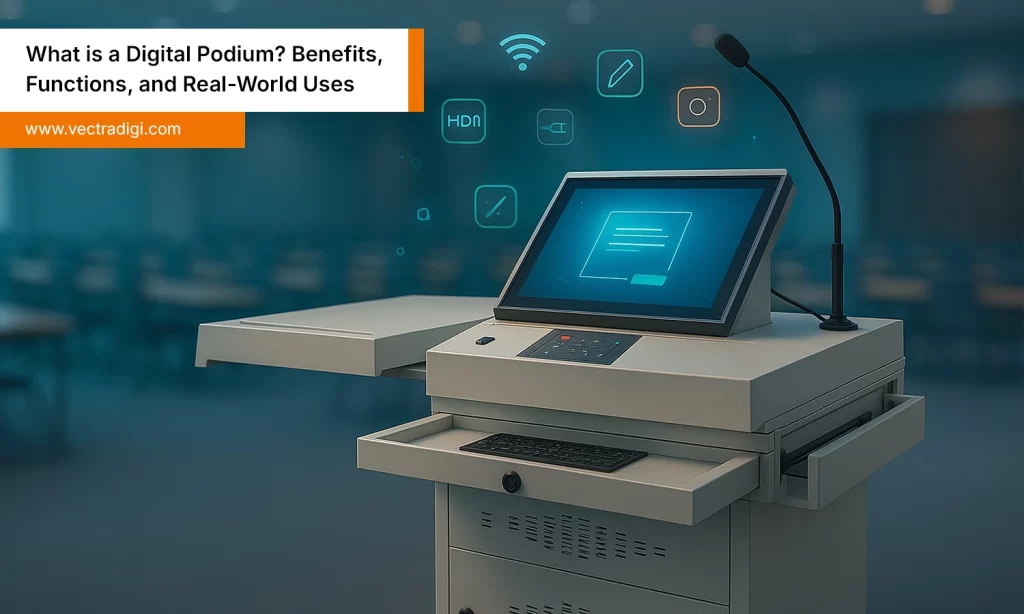

Ever had one of those days where you’re mid-lecture or a meeting, and the mic dies? Or the cables are all over the place and you’re bending over, untangling stuff like some kind of janitor? Yeah, it’s annoying. Everyone’s looking at you, people are shifting in their seats, and you just wanna disappear for a second. That’s why digital podiums are a total lifesaver. They actually make life easier. Plug it in, turn it on, and everything just works. No more running around, no more fiddling with projectors. In this blog, we will see what’s good about digital podiums and how to pick the right one.
Table of Contents
Also Read: What is a Digital Podium? Benefits, Features, and Real-World Uses
Why a Digital Podium Matters Today
Back in the day, a chalkboard and some kind of podium were fine. Now Things are different. Classrooms are smart, offices are hybrid, and no one has patience for tech that doesn’t just work. A digital podium isn’t just a place to put your notes, it’s kinda like your mini control center.
Why it matters:
- Saves time during setup
- Enhances audience engagement
- Supports hybrid and remote sessions
Whether you’re a teacher trying to handle forty kids or a manager talking to people in different cities, a smart podium just makes life smoother. It’s built for real-world chaos.
Why Classrooms & Offices Need Digital Podiums
Imagine, in a classroom, a teacher is trying to get the projector to work for ten minutes, and kids are getting restless. Or an office meeting where someone’s trying to share slides and nothing happens. Those little things are awkward, and it feels like forever when you’re stuck in the middle of them. That’s exactly the mess a digital podium sorts out.
Key stuff it helps with:
- You can control mics, screens, live streaming… all without juggling a million gadgets.
- Let’s you actually focus on teaching or talking instead of the tech stuff.
- Keeps people from drifting off and checking their phones.
“A smooth presentation keeps the audience focused on ideas, not problems.”
For classrooms, it’s about keeping learning interactive. For offices, it’s about looking professional without freaking out over tech. A digital podium just makes everything run smoother, less stressful, and way less embarrassing.
Key Features to Look for in a Digital Podium
Buying a digital podium… It’s not like picking up a chair, but it’s more like investing in your ability to present or teach without losing patience. The right features actually save you headaches. So here’s what really matters.
1. Touchscreen Display
Most podiums these days come with a touchscreen, and it’s a lifesaver. Teachers can scribble, highlight stuff, or flip slides in a second. In offices, it keeps presentations interactive, and people actually pay attention instead of scrolling their phones. No juggling laptops or clickers. One swipe, done.
2. Built-in Microphone & Sound System
Sound is everything. You don’t want echoes or students straining to hear. Big classrooms, halls, or conference rooms—your voice needs to carry. Look for good mics and built-in speakers. It avoids the awkwardness, which nobody likes.
3. Device Compatibility
Projectors, smart boards, big displays… your podium should just work with everything. Nothing worse than setting everything up and realizing it won’t connect. Ensure it’s compatible with all your devices. One small detail can ruin a presentation if ignored.
4. Recording & Streaming Options
Hybrid learning and remote meetings are part of life now. A podium that can record or stream can make a huge difference. Teachers can share lessons with absent students, companies can broadcast to remote teams, and no one has to deal with extra cameras or tangled wires.
5. Security Features
Equipment isn’t cheap. Look for lockable drawers, passwords, or RFID access. It keeps your gear safe and gives you peace of mind. Nothing worse than worrying about devices after a long day of work.
6. Ergonomic Design & Cable Management
Podium should just feel easy to use. You don’t want to be leaning over or twisting awkwardly for half an hour. And the wires are hidden if possible. Cable management isn’t just about making it look neat—it actually keeps things safe. Nothing worse than tripping over a cord in front of a class or a meeting. A little planning here saves a lot of embarrassment later.
7. Reliability & Support
Even the fanciest podium can fail at the worst time. You need a warranty that actually works and updates that don’t just sit there. Support should be easy to reach, nobody wants to wait forever. Reliability can make or break your whole session.
Real-Life Example
Picture this: a teacher walks in, presses a button, and then the lecture starts with slides and sound ready. Or a CEO speaks to both in-office and remote employees without pausing to fix anything. That’s the difference the right podium makes.
Think about your actual needs. Schools might need durability and interactivity. Offices might want sound clarity and streaming. Don’t buy something just because it looks fancy, get a podium that works for you.
Choosing the Right Podium for Classrooms vs Offices
Classrooms and offices have totally different needs. A classroom podium is really about keeping students engaged. Touchscreens, smart board integration, and something tough enough to survive daily use, and that’s key. Small classroom? Go compact. Big hall or auditorium? Bigger podium with decent audio. Teachers just want to focus on the lesson, not fight with cables or projectors.
Offices are a little different. Here, you want professionalism. Something that handles hybrid meetings, streams smoothly, and maybe even records presentations for remote folks. Clear sound is huge, and a sleek, modern design gives clients and stakeholders a good first impression because looks matter too.
Quick Comparison:
- Classrooms: It’s about keeping kids interested. Lessons should stick, students should pay attention, and the podium should just… make life easier instead of causing more chaos.
- Offices: Here it’s different. You want to look professional, run hybrid meetings without constantly fiddling with tech, and make sure everyone actually hears you.
Mistakes to Avoid When Buying a Digital Podium
So many people rush and grab the first podium they see which is a big mistake. Here’s what to watch out for:
- Compatibility Issues: If it doesn’t talk to your screens or devices, you’ll be wrestling with it every day.
- Overpaying for Stuff You Don’t Need: Fancy features are fun, but if you won’t use them, don’t waste money.
- No warranty or support: Even the best technology can break down. If it does break down, make sure someone takes care of it.
- Going Cheap: Low-quality podiums may save a few bucks, but they fail when it matters most.
If you avoid these mistakes, your podium will make life easier and presentations way less stressful.
Conclusion
A digital podium isn’t just another gadget sitting in a room. It’s the thing that keeps you from running around fixing cables or praying the mic works. A good one saves time, motivates people to listen, and allows you to engage in actual teaching or conversation instead of fussing over equipment. In a busy classroom or meeting, it can make the difference between chaos and peace. The trick is to choose wisely, pick one that fits what you really need. Once you do, you’ll probably end up using it every single day without even thinking twice.
Don’t let small tech issues steal your spotlight. Choose a digital podium built for real classrooms and offices. Upgrade today and make every lecture or meeting smooth, stress-free, and professional.