
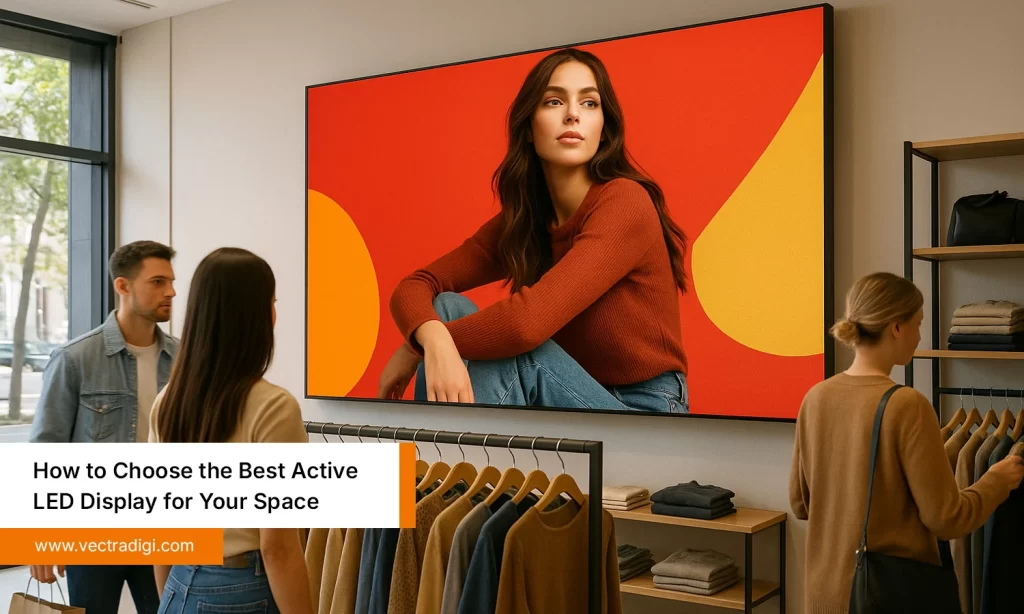
Walk into a conference room, classroom, or even a retail store, and sometimes the screen on the wall just… falls flat. The colors look off, the image seems fuzzy, and if the sun hits it just right, good luck even seeing what’s on. You might catch yourself thinking, “Wasn’t this supposed to be high-tech?” That’s why choosing the best Active LED display for your space isn’t just a checkbox on a list. At its core, it’s about keeping attention, making your videos or presentations comfortable to watch, and ensuring everything stays clear. Those characteristics, dimensions, and specifications? Yes, they can initially seem perplexing. No need to panic. We’ll go step by step and land on the right setup without overthinking.
Table of Contents
What Is Unique About an Active LED Display?
LED screens vary a lot in the way they’re built. Active LEDs, unlike passive ones, control both signal and power for each module separately. The result? Smoother videos, sharper photos and more vibrant colours, even in challenging lighting conditions. They are favored in settings where quality is important, such as workplaces, retail establishments, conference rooms, and classrooms.
When you turn on a passive screen instead of an active LED, you can immediately perceive the difference, even if it might not seem like much at first. Active displays are much more energy-efficient, can handle intricate animations better, and maintain constant brightness throughout the panel. In essence, a dynamic LED display elevates material rather than merely displaying it. Signage, films, and presentations all appear crisper, more professional, and brighter.
Also Read: What Is an Active LED Display? A Complete Guide
Key Technical Factors to Consider
Let’s dive into some of the technical stuff. Don’t worry, I’ll break it down in simple, easy terms. Being aware of this will help you avoid the common mistakes most people run into.
1. Resolution and Pixel Pitch
Pixel pitch simply means the distance between the small LEDs on a screen. The smaller the pitch, the sharper the image, especially when people are sitting close. In a small meeting room, a tighter pixel pitch makes the text and images look sharp and easy to read. In big halls or auditoriums, a larger pixel pitch still looks clear when viewed from a distance.
Here’s a real example: a client bought a 75-inch display for a 12-foot classroom without checking pixel pitch. Students at the back complained about blurry text. Switching to a display with a smaller pixel pitch fixed the issue entirely. Resolution and pixel pitch aren’t just numbers, they shape how clear and sharp the display really looks.
2. Brightness and Viewing Environment
Brightness, measured in nits, indicates how clearly your screen will appear under various lighting conditions. If you’re in a room with low lighting, 300–500 nits might be enough. But if your space gets a lot of sunlight or has bright overhead lights, you’ll probably need 1,000 nits or more. Too dim, and content afades; too bright, and it becomes uncomfortable to look at.
Consider a storefront with plenty of windows; a display that appears flawless in the showroom may vanish during the day. Matching the screen’s brightness to the surroundings keeps it clear and easy to see.
3. Refresh Rate and Motion Handling
Ever noticed a digital sign where fast-moving content just looks jumpy or awkward? That usually happens when the refresh rate is too low. Getting a higher refresh rate, like 60Hz or more makes videos, animations, and live feeds run smoothly and look clean.
Here’s a little tip: if your space shows sports, live streams, or animated promotions, make sure the refresh rate is up to snuff. Even regular presentations look better—slides flow naturally, and animated charts don’t flicker. Honestly, nothing makes a presentation look unprofessional faster than a screen that stutters in the middle of a slide.
4. Size and Aspect Ratio
Choosing a display is not just about decorating a wall, but also about how people will view it. A 100-inch screen in a tiny 10-foot room can feel way too big, while a 50-inch display in a huge hall might be impossible to read from the back. Aspect ratio matters too. Most of the time, a 16:9 ratio works just fine, but in some spaces, a custom ratio like a wide panoramic or a tall vertical display can actually make things look a lot better.
Here’s a quick tip: measure your room, figure out where people will actually sit, and maybe even doodle a rough layout. It might feel like overkill, but seriously, it can save you from wasting a lot of money later.
5. Connectivity and Smart Features
These days, LED displays aren’t just screens; they’re more like mini control centers. You’ve got HDMI, DisplayPort, and USB ports to hook up a bunch of devices, no sweat. And lots of them work with content management systems (CMS), so you can schedule videos, update signage from anywhere, or even show live feeds.
I remember a friend who set up a display in a co-working space and didn’t check if it was compatible with their CMS. They spent weeks scratching their heads before realizing the ports didn’t match. A little double-checking first could have saved them a lot of time.
6. Longevity and Maintenance
Some displays look amazing on paper, but in real life, they can be a total headache to keep running. It is worthwhile to inquire about the LED modules’ lifespan, ease of repair, and level of manufacturer support. Spending a little more upfront usually pays off—you’ll avoid constant repairs and replacements down the line.
For example, a client went for a cheaper display with limited support. Six months later, a few LED modules failed, and getting replacements took weeks. If they had invested in a higher-quality active LED display, it probably would’ve lasted years with almost no fuss.
Common Mistakes to Avoid
Even people who’ve bought displays before can mess this up. Keep an eye on these key points:
- Focusing only on price: Cheap displays often skimp on resolution, brightness, or how long they last.
- Don’t overlook room lighting and how far viewers will sit: the screen has to suit the space, not just your budget.
- Overlooking refresh rate or connectivity: Fast-moving videos and multiple devices need a display that can actually handle them.
I’ve seen companies drop a ton of money on a giant LED panel, only to find the text was unreadable from the back row. Planning a bit ahead can prevent many problems down the line.
How to Choose the Best Active LED Display for Your Space
Here’s how I usually approach it:
- Check out your space first: Measure the room and think about what you’ll actually use the display for—presentations, videos, signage… whatever.
- Pick the right resolution and pixel pitch: You want everyone in the room to be able to read and see clearly.
- Match brightness to the room: Too dim, and people squint. Too bright, and it’s uncomfortable.
- Look at connectivity and smart features: Make sure it’ll play nice with your devices and any CMS you’re using.
- Think long-term: A slightly pricier display now can save you a ton of headaches later.
Do this, and you’ll have a display that looks good and actually works without driving you crazy a few months down the line.
Conclusion
Honestly, picking the right active LED display can feel overwhelming, but it doesn’t have to be. Think about your room, how close people will be, and what kind of stuff you’ll show on the screen. Check the brightness, resolution, and all the techy bits, sure, but also think about how easy it’ll be to maintain and if it’ll actually last. Do a little planning now, and you won’t be stuck dealing with blurry images or annoying glitches later. Get it right, and your screen just works, clear, bright, and actually useful, for years.
Want a display that actually works and looks great? Take a moment to plan, pick the right screen for your space, and enjoy clear, bright visuals without the headaches.

