
Self-Service Computer Kiosk Manufacturer for Customer Service
Enhance customer engagement and streamline operations with GeM-certified information kiosks in India, built for modern, seamless experiences.
GeM Certified | ISO Compliant
Our Esteemed Clients We Proudly Serve Across India















Enhance Customer Experience with the Best Computer Kiosk in India

Why Choose Our Computer Kiosk?
How It Works?
Computer Kiosk vs Manual Computer
| Feature | Computer Kiosk | Manual Counter |
| Customer Waiting Time | Faster self-service process | Longer queues and delays |
| Staff Requirement | Minimal human involvement | Requires dedicated staff |
| Availability | Can operate 24/7 | Limited to working hours |
| User Experience | Interactive and automated | Manual and time-consuming |
| Operational Efficiency | Handles multiple tasks digitally | Slower workflow with paperwork |
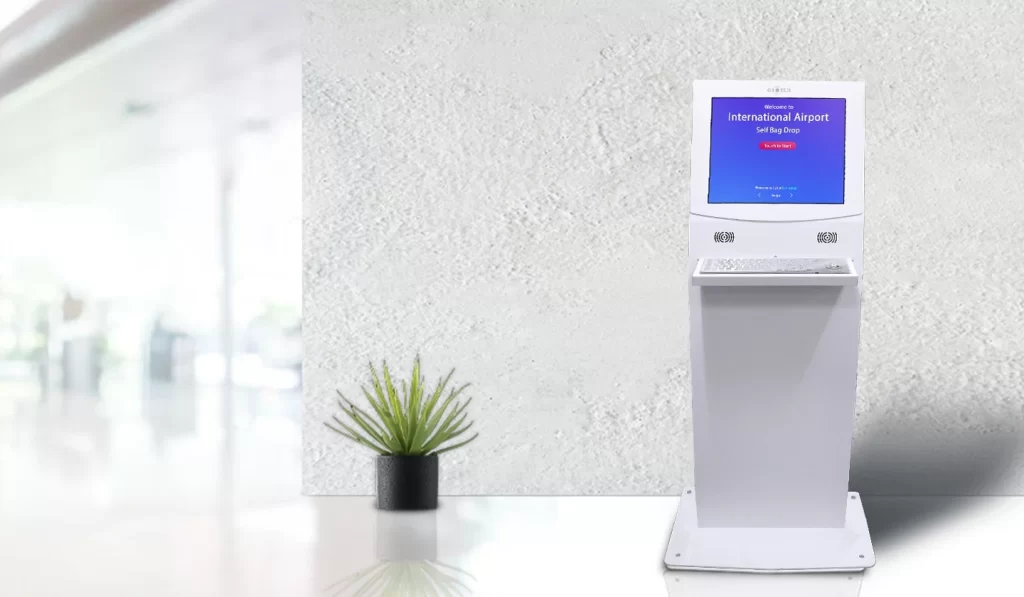
Looking to Improve Customer Experience? Our Digital Kiosk Can Help

Vectradigi Technologies LLP
Need Help? Chat with us
Request a Callback
Contact Us For The latest Information Kiosk Price in India*

- Various Choice
Types of Information Kiosks

- Touch Operating
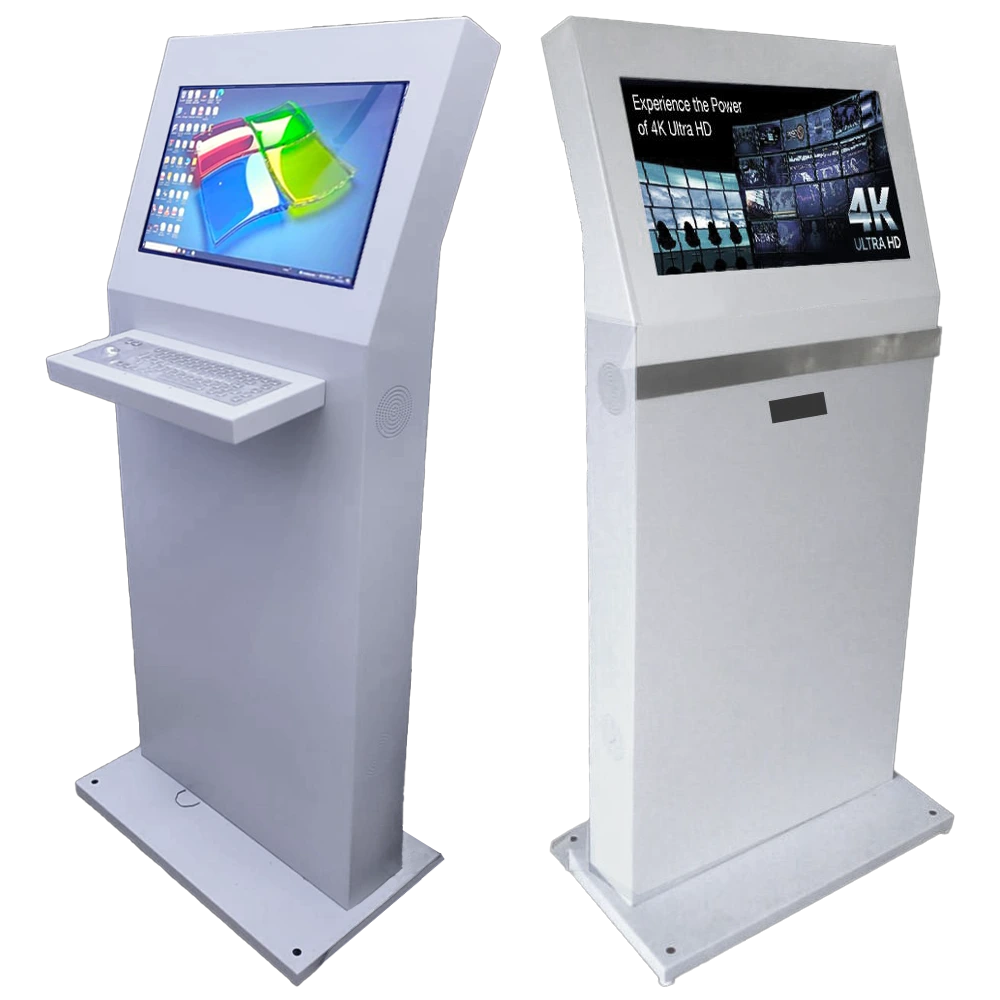
Self-Service Computer Kiosk Without Keyboard
- QWERTY Keyboard
Self-Service Computer Kiosk With Keyboard

- OUR FEATURES
Features of Our Self-Service Kiosk
Upgrade your workplace experience with the most trusted information kiosk for offices in India. Built to deliver clear information, quick self-service, and improved user engagement. We offer modern, cost-effective solutions that replace traditional systems for offices, campuses, and public spaces effectively.

21.5” Interactive Touchscreen
Experience crystal-clear visuals and responsive touch interactions that enhances customer engagement.
HDMI and USB Connectivity
Multiple connectivity options allow easy media transfer, external device integration, and seamless content accessibility.
Premium Mild Steel Cabinet
Strong steel enclosure provides excellent durability, stable performance, and protection for continuous commercial usage.
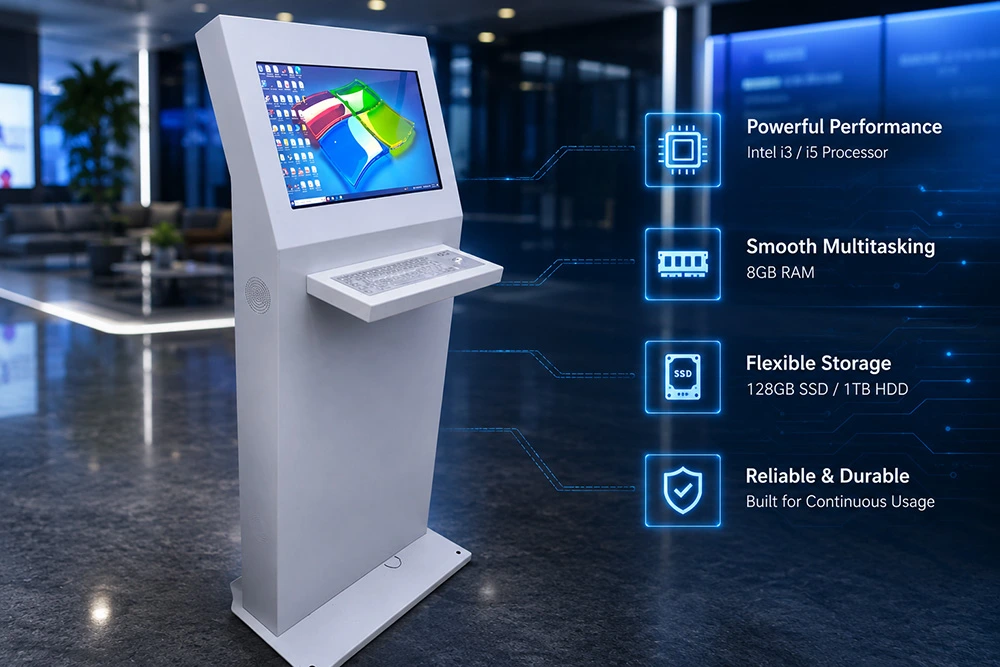
Built-In i3 / i5 Processor
Advanced computing system with 8GB RAM and SSD/HDD storage ensures faster and efficient multitasking operations.
Vibrant Image Display Quality
Supports high-resolution images, promotional visuals, and multimedia content with enhanced brightness and picture clarity.
Remote DMS
Monitor kiosk activity, update software, and manage operational performance remotely through centralized network access.
- Applications Across Industries
Where Can You Use Our Interactive Computer Kiosk?
Our standalone Digital Kiosks can be deployed across multiple industries to simplify operations and enhance customer experience. They also boost engagement and improve overall efficiency for businesses and institutions.
Educational Institutions
- Helps students quickly access campus information and course registration online.
- Provides easy self-service for library access and event information efficiently.
Retail Stores
- Allows customers to check product details and availability instantly.
- Facilitates speedy self-checkout, minimizing queues and wait times.
Government Buildings
- Makes citizen services like form submissions and information requests faster.
- Provides smooth interface for paying bills and application tracking.
Healthcare Facilities
- Lets patients register and check appointment schedules without assistance.
- Provides quick access to hospital information and service directions efficiently.
Airports and Travel Centers
- Computer Kiosk enables travelers to check-in and print tickets instantly on-site.
- Offers flight and transportation information for smooth passenger experience.
Hotels and Resorts
- Enables guests to check in and use services instantly, with no waiting.
- Provides quick information about hotel facilities and local attractions.
- ENHANCE USER INTERACTION
Make Your Business Smooth With our Affordable Self-Service Kiosk In India
Enhance customer engagement and self-service experiences with advanced solutions from a touchscreen kiosk manufacturer. Get latest computer kiosk price in India.
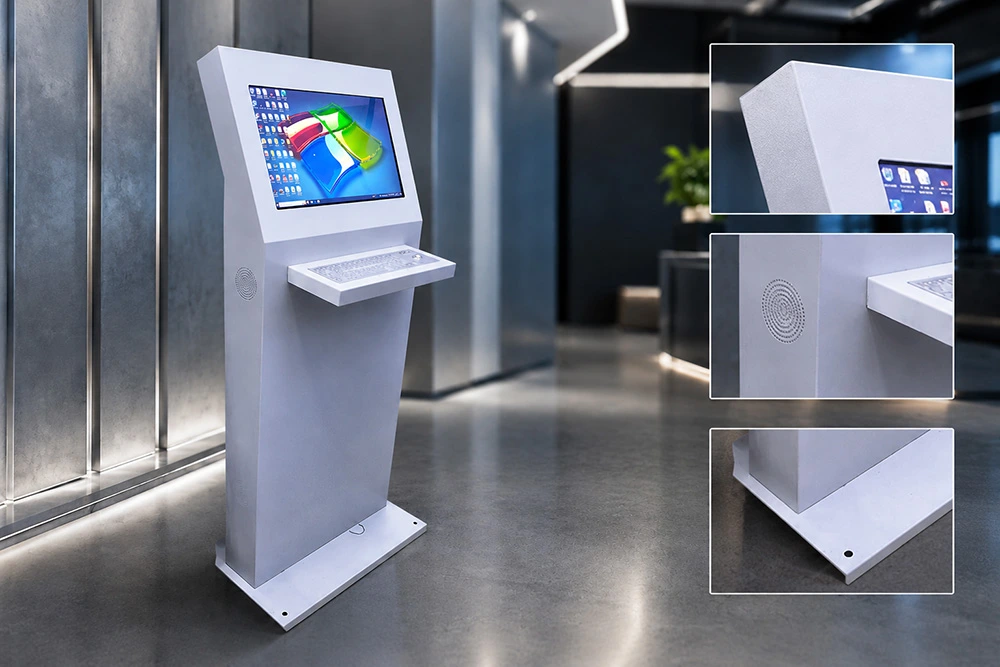
Durable Mild Steel Body with Integrated Touchscreen Monitor
High-Performance Digital Kiosk with Advanced Hardware
- Smart Kiosk Solutions
Streamline Operations with Advanced Kiosk Solutions
For Further Inquiries Call
- OUR TESTIMONIALS
What Our Clients Have To Say
Hear directly from our clients. Be part of a success-driven community and discover how our services and self-service kiosks transform experiences.
EXCELLENTTrustindex verifies that the original source of the review is Google. I am happy with their active LED display. The quality is very good and it looks great. Installation was quick and support team was helpful too. Overall I am satisfiedPosted on GoogleTrustindex verifies that the original source of the review is Google. When it comes to Quality product and extra Ordinary after sales support, VDT is always ahead of other brands. I Highly Recommended all the Products, Professional Team with excellent service record, So Go ahead without any second thought.Posted on GoogleTrustindex verifies that the original source of the review is Google. The team at Vectradigi went above and beyond to ensure that our needs were met. They were responsive, professional, and really took the time to understand the specific requirements for our space and usage. They helped us choose the perfect LED wall size and configuration.Posted on GoogleTrustindex verifies that the original source of the review is Google. I recently purchased Digital Standee, Podium, and LED Wall. My overall experience has been excellent. The products are of high quality and the installation was carried out very smoothly. A special thanks to Ms. Simran, the Business Development manager, for her continuous support and guidance throughout the process. The installation team was also very professional, efficient, and cooperative. I am highly satisfied with the services provided and would surely recommend them to others.Posted on GoogleTrustindex verifies that the original source of the review is Google. Perfect for outdoor display solutions for both Govt and privatePosted on GoogleTrustindex verifies that the original source of the review is Google. Good product and servicePosted on GoogleTrustindex verifies that the original source of the review is Google. Good people good servicePosted on GoogleTrustindex verifies that the original source of the review is Google. Good Product for Active LED Video Wall, Perfect place to buy all the products.Posted on GoogleTrustindex verifies that the original source of the review is Google. GOOD PRODUCTS AND SERVICES.Posted on GoogleTrustindex verifies that the original source of the review is Google. Good place to buy best quality Video Walls and Digital Kiosk.
- QUICK ANSWERS
Frequently Asked Questions
Get detailed answers to frequently asked questions about Digital Kiosks, their usability, and how they simplify customer interactions.
Q1: What is a Computer Kiosk?
A1: A Computer Kiosk is a self-service digital terminal designed for information access, payments, ticketing, and customer interaction. Featuring touchscreen displays, integrated computing systems, and secure connectivity, they improve operational efficiency, enhance customer engagement, and support smooth operations.
Q2: What is the difference between a Computer Kiosk from a traditional Kiosk?
A2: Computer kiosk offers advanced multimedia features, including responsive touchscreens and dynamic content display capabilities. It enables interactive user engagement through audio, video, and real-time inputs for better communication. Unlike traditional kiosks, it delivers an immersive experience that enhances customer interaction and brand visibility.
Q3: Can I connect external peripherals such as cameras or microphones to enhance the Kiosk's capabilities?
A3: Yes, our digital kiosk supports USB peripherals such as cameras, microphones, scanners, and other compatible devices. This expands functionality for interactive applications, security, and data capture solutions. For a complete list of supported devices and seamless integration options, contact our technical team for a detailed consultation.
Q4: Is the Information Kiosk firmware upgradable, and how can users perform firmware updates?
A4: Yes, the information kiosk supports firmware upgrades to ensure optimal performance and access to the latest features. Users can follow the official update guide for clear, step-by-step upgrade instructions. For advanced customization and support, connect with our technical specialists for guided assistance and updates.
Q5: Can the Touchscreen Kiosk be remotely managed, and what software tools are available for centralized control?
A5: Yes, the touchscreen kiosk supports remote management and centralized monitoring for efficient business operations. With Wi-Fi connectivity and multiple interface ports, it runs various applications smoothly and securely. This allows businesses to control updates, monitor performance, and manage multiple kiosks from a centralized system.
Q6: Is it possible to install third-party software applications for specialized presentations?
A6: Yes, the kiosk allows installation of third-party software applications for customized and specialized business presentations. This flexibility supports various industries and unique operational requirements effectively. For compatibility details, supported platforms, and customization options, connect with our technical team for expert guidance and assistance.
Q7: Are there volume discounts available for bulk purchases of Kiosk?
A7: Yes, we offer competitive volume discounts for bulk kiosk purchases to support large-scale deployments and business expansion. As a touchscreen kiosk manufacturer, our pricing varies based on order quantity, specifications, and customization requirements. Contact our sales team to discuss your needs and receive a tailored quote with the latest computer kiosk price in India.
Q8: Can I get technical support if I encounter any issues with my Information Kiosk?
A8: Yes, our dedicated technical support team is always available to assist with any kiosk-related issues or concerns. We provide prompt troubleshooting, maintenance guidance, and technical assistance whenever required. Whether software or hardware-related, our experts ensure your kiosk operates smoothly, efficiently, and without disruption.
Q9: What warranty and support options are available with the purchase of a self-service kiosk?
A9: Our self-service kiosk includes a standard manufacturer’s warranty covering essential components and system reliability. We also offer extended warranty options and comprehensive support packages for long-term usage. For customized coverage details and service plans, contact our team to receive tailored support solutions.
Q10: Do you offer product demonstrations or trials for the Kiosk?
A10: Yes, we provide product demonstrations to help buyers fully understand kiosk features, performance, and capabilities. These demos offer hands-on experience and detailed insights into real-world applications. Reach out to our sales team to schedule a demo and explore how the kiosk meets your business requirements.
Q11: Can your digital kiosks be customized for different business requirements?
A11: Yes, the kiosk can be customized based on operational requirements. Clients can choose display size, touch technology, operating system (Windows or Android), enclosure finish, and branding elements. We also offer optional peripherals like barcode scanners, receipt printers, cameras, NFC modules, or payment systems.
Q12: Are the kiosks suitable for 24/7 usage?
A12: Yes, industrial-grade components are used for continuous operation environments such as hospitals, railway stations, airports, and public information centers. Ventilation and thermal management are also considered during manufacturing for long operational hours.